


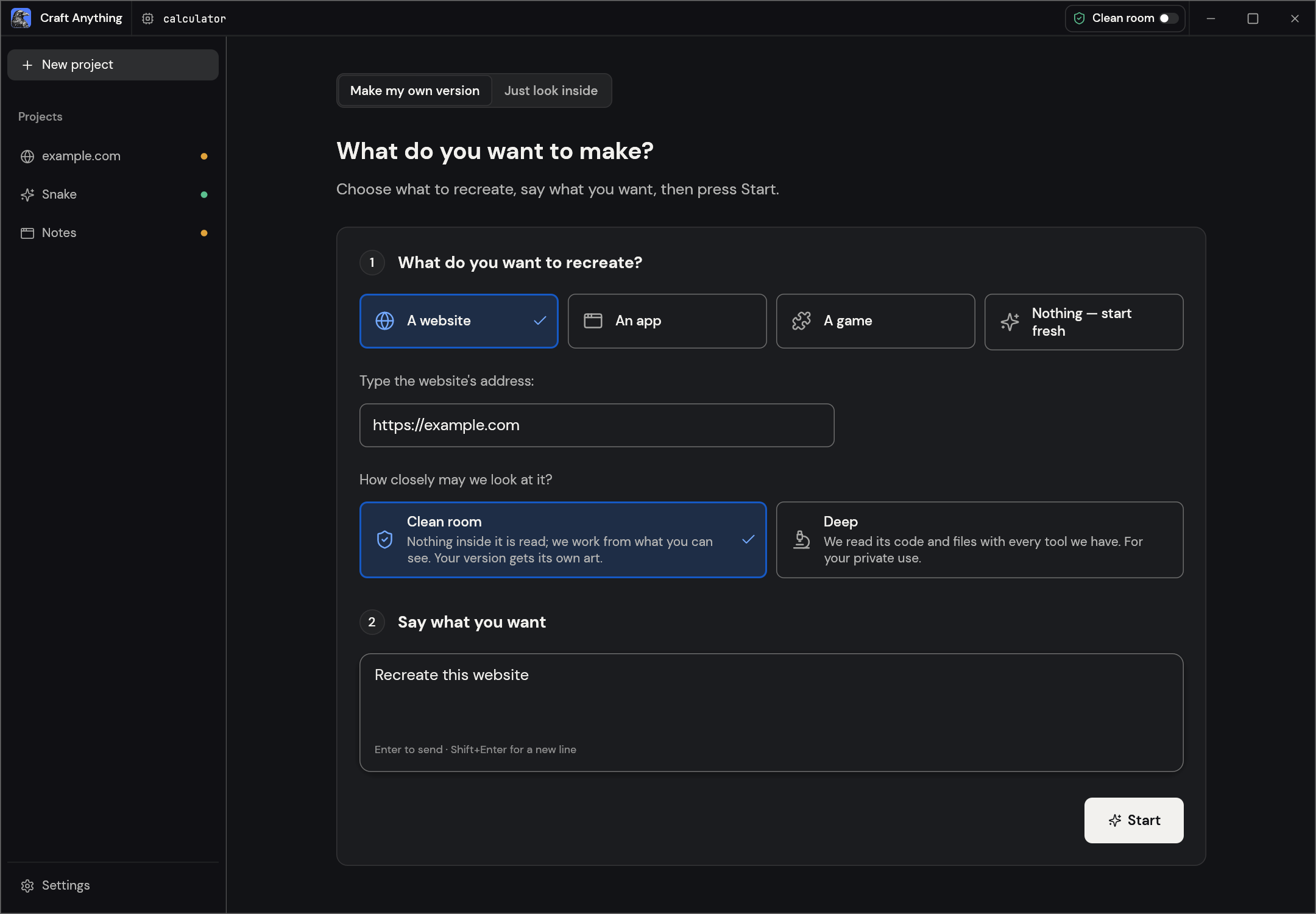
Seeing a landing page with comfortable layout and wanting to build your own version, the most tedious part is often not writing code but measuring its spacing, font sizes and colors bit by bit, and figuring out how it lays out on a phone. The open-source project Craft Anything (about 22k stars on GitHub, open-sourced only at the end of October 2026) hands this step to a machine: it first measures the original page the way a visitor would, then has Claude Code on your computer create a new project to build it, and after building, compares it with the original page item by item at three screen widths, giving a similarity score and a list of what still differs, and keeps revising if it doesn't match. What really makes the result reliable is not any particular prompt, but the step of checking after building: the Agent no longer says 'close enough' based on feel, but takes the difference list and fixes it one item at a time.
First, how it works
(Image from the Craft Anything repository.)
The whole process has four fixed stages, and the interface always shows where it is.
| Stage | What it does | Output |
|---|---|---|
| Research | Opens the original page, takes screenshots at different widths, measures layout, colors, fonts and spacing, and expands menus to see interactions | Evidence of what the original page looks like |
| Build | Has the logged-in Claude Code on your computer create a project using the tech stack you specify, or common defaults if you don't | A runnable new project |
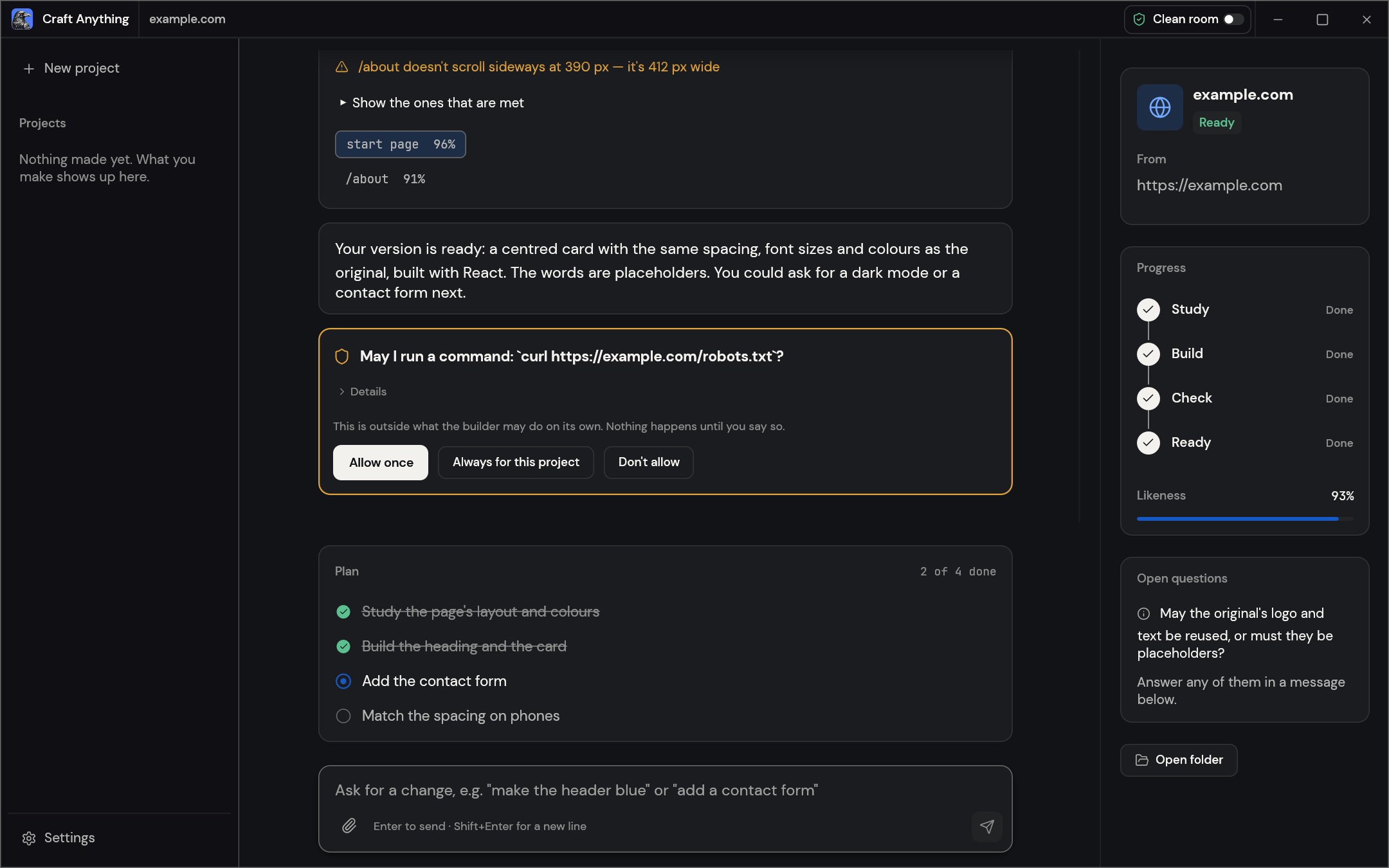
| Check | Compares the new page with the original at three screen widths | A similarity score for each page, plus a list of what still doesn't match |
| Ready | Opens a preview; if you're not satisfied, type changes in the input box at the bottom | A finished product you can keep iterating on |
(Image from the Craft Anything repository.)
It defaults to clean-room mode: it only looks at what a visitor can see (screenshots, visible text, measured styles) and does not read the page source. The generated version uses placeholder text and your own images. To read the source, you must manually switch to deep mode, which the official docs say is for personal research only.
The above is compiled from the official Craft Anything repository (currently v0.5.0, your choice of the MIT or Apache-2.0 license, early alpha). We have not installed and tested it ourselves. The official docs state that the currently working path is the 'build with Claude Code' route, and other Agents and building with a direct API key have not been tested.
Why it works: three reasons
- Measure first, then build. The spacing, font sizes and breakpoints of the original page are measured numbers, not an Agent's guess from a glance at a screenshot, so the starting point is accurate.
- The comparison results are a checklist you can act on. A specific problem like 'the about page scrolls horizontally at 390 px width' is much faster for an Agent to fix than 'doesn't quite look right', and it also knows when to stop.
- Every step is visible and can be stopped. Commands like installing dependencies or downloading things on the first run pop up a card waiting for your approval; whether to use the original site's logo and text is also asked separately.
How to use it: a five-step SOP

The example below is 'using a landing page you like to build a version for your own product'. Give this to your Agent and have it check itself against the 'completion criteria' after each step.
Sign in to unlock this key section
New accounts get 10 free credits, plus 1 more for each daily check-in. Spend 1 credit to unlock and it stays open for you.
Security baseline
- Only study what you have the right to study. The project asks that targets be your own software or ones you have permission to examine; it will not bypass login, DRM or anti-cheat.
- Clean room is not a sandbox. Clean-room mode only determines what Craft Anything itself reads; it does not isolate your computer. Claude Code still reads, writes and runs commands as you, so permissions must be controlled within Claude Code.
- Installing dependencies means running other people's code. npm installs run the package's scripts by default. Only choose 'always allow this project' for projects you trust; if unsure, have it skip install scripts when installing.
- Deep mode is for your own use only. Do not publish anything obtained by reading other people's code and files.
Common pitfalls
- Treating similarity as the goal. Getting to 99% resemblance only means you made a copy; once you've learned the layout methods, switch to your own content and style, since launching a reskin directly carries infringement risk.
- Not specifying a tech stack. It will use a default stack that may not match your existing project, and migrating afterward is more troublesome.
- Building a large project in one go. Multiple rounds of comparison and revision all consume Claude Code quota; build one page first, then add more once you're satisfied.
- Assuming all Agents work equally well. The official tests only cover building with Claude Code; other Agents may get stuck midway.
- Using generated code without reviewing it. For complex page structures, the generated code mostly still needs tuning by you; review it as if someone else wrote it before launch.
Project page: Craft Anything (GitHub), installers are on the Releases page.
Where it usually breaks
- 01Treating similarity as the goal and launching a reskin directly.
- 02Not specifying a tech stack, so the generated project doesn't fit your existing code.
- 03Building a large project in one go, and the quota runs out quickly.
- 04Switching to an untested Agent, which gets stuck midway.
- 05Launching generated code without reviewing it.
Comments (0)
No comments yet. Start the conversation.