


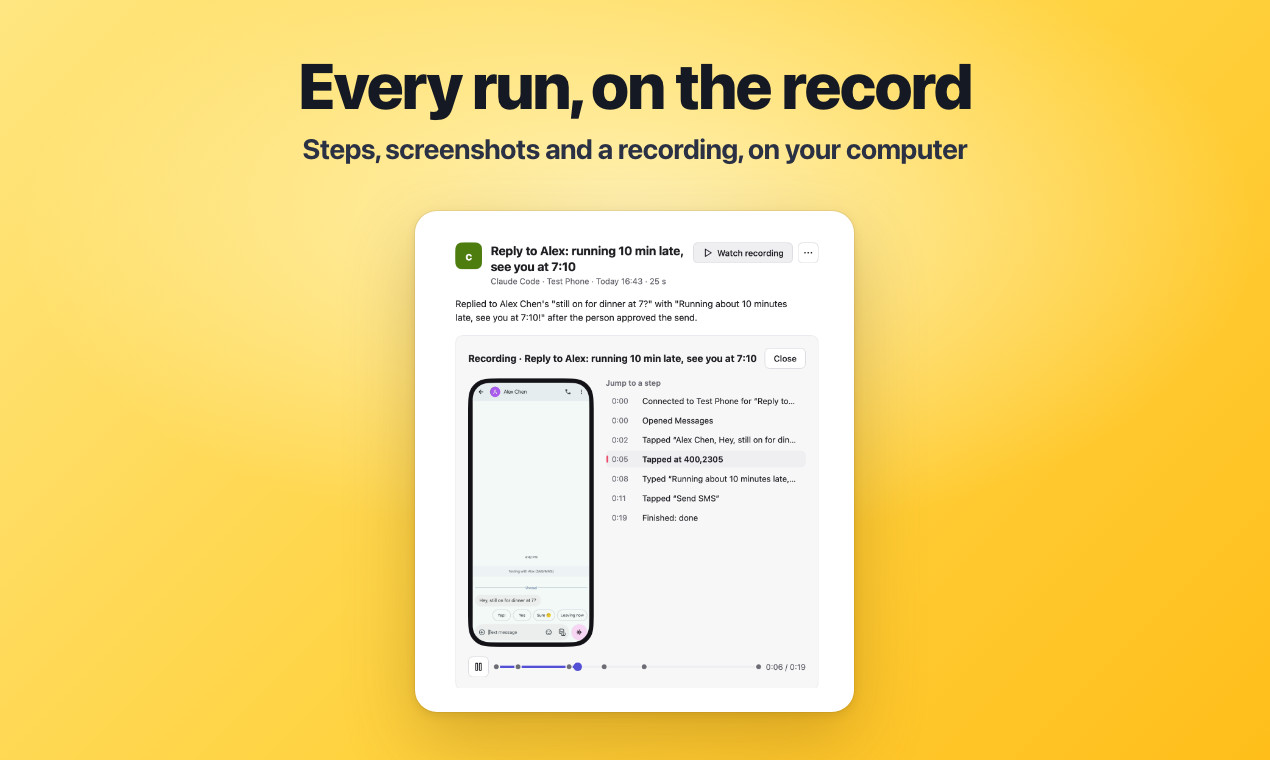
If you want AI to do some things on your phone for you, the biggest worry is that it taps the wrong thing: paying by mistake, sending messages carelessly, deleting the wrong items. The open-source app Pinky offers this answer: the agent can use your real phone, but the step that moves money must wait for your nod, you watch the whole time from your computer, and you can grab the phone back at any moment.
See the effect first
The agent writes a reply in a messaging app, and at the moment it taps "Send" Pinky holds it back. An approval panel appears on your computer, you click allow, and only then is the message sent.
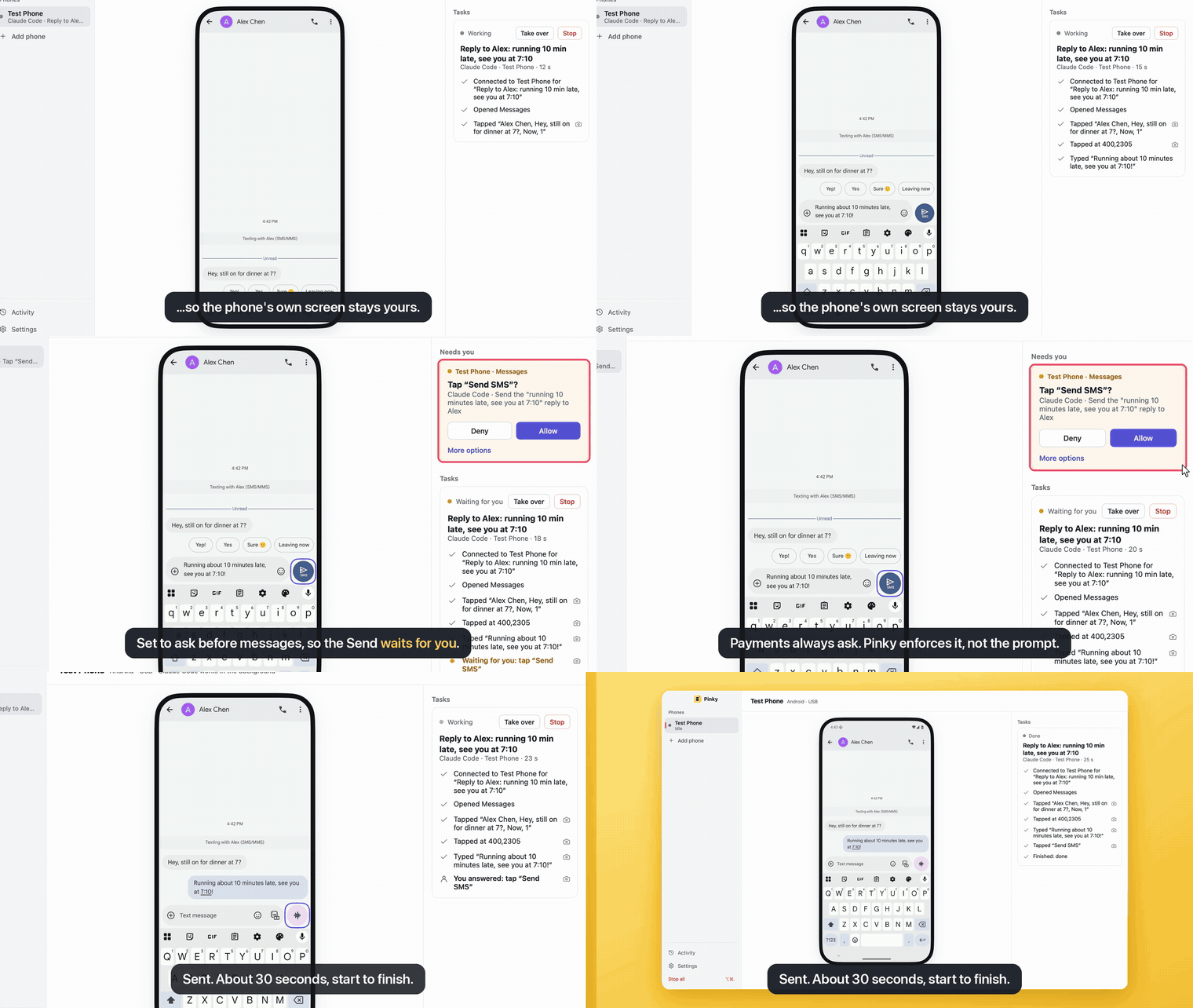
The image comes from the project repository. We did not install and run it ourselves.
The problem it solves
There are already quite a few tools that let agents operate phones, but most leave the decision of whether to ask a human to the agent itself. The problem is that when an agent reads a malicious message or a tampered web page, it can be persuaded to skip confirmation.
Pinky takes this checkpoint out of the agent's hands and places it between the agent and the phone:
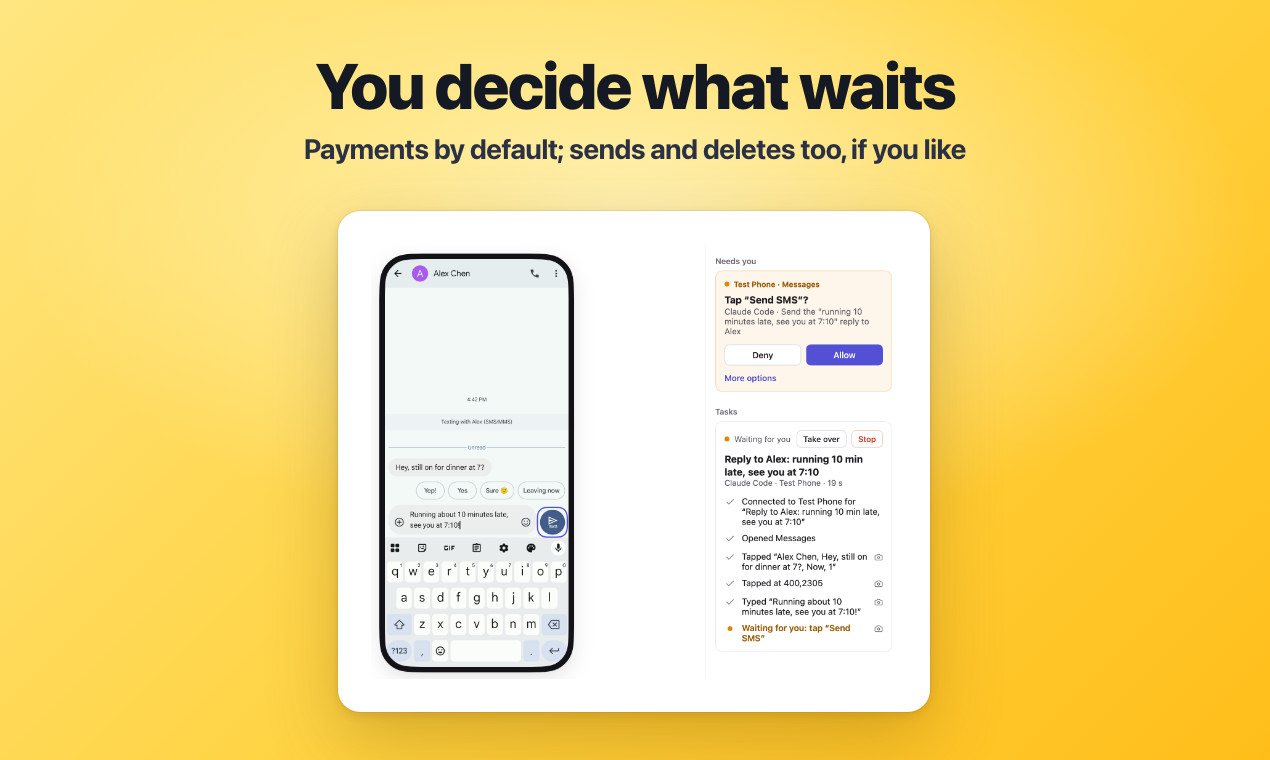
How safety is achieved
Sign in to unlock this key section
New accounts get 10 free credits, plus 1 more for each daily check-in. Spend 1 credit to unlock and it stays open for you.
What you get
According to the project's own description (we have not tested each item ourselves):
- Three computer platforms, two phone systems: runs on macOS, Windows and Linux; Android 10 to 17, and iPhone needs iOS 17.4 or later.
- One-click agent connection: Cursor, Codex, Claude Code, Claude Desktop and similar agents connect with one click in settings, and other MCP-compatible agents can also be used.
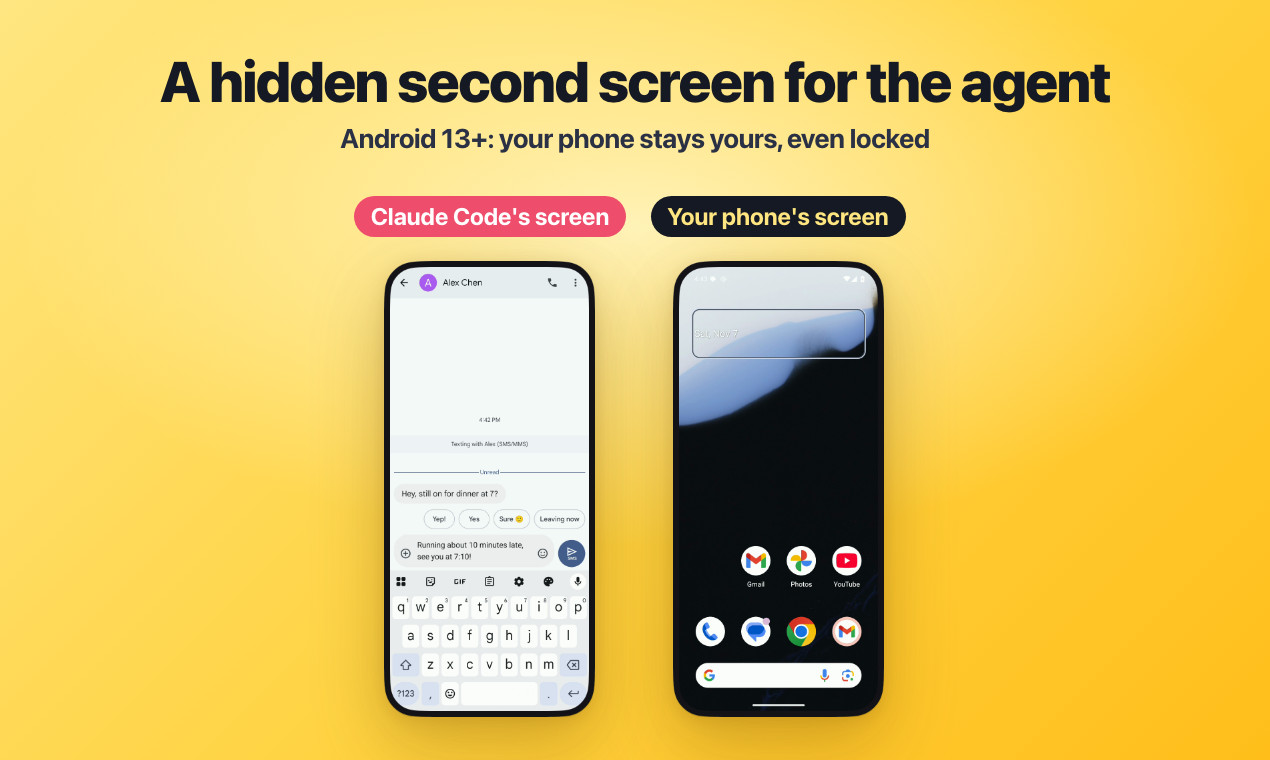
- Use your phone as normal: on Android 13 or later, the agent works on an invisible second screen, so your phone can stay locked in your pocket or you can keep scrolling your own content.
- Lightweight: a native app, not a web wrapper, with an installer of roughly 10 to 20-odd MB, and it barely uses any CPU when idle.
- Works while locked: store your phone PIN in Pinky, and each unlock is confirmed on your computer with a fingerprint or system password, so the agent never sees the PIN.
How to use it yourself
Hand the Pinky Skill to your agent. It will check whether you have installed it, guide you through connecting your phone, and then work according to Pinky's rules. After that, just tell it what to do on the phone directly, say, "Text Alex in my messaging app that I'm running ten minutes behind."
Pitfalls to watch for
- The project is still very early: on real devices it has mainly been tested with Claude Code, and the author has not yet tested iPhones below iOS 27 on real devices.
- Bank apps may notice: while the Android accessibility service is on, some bank apps refuse to log in. Pinky only turns it on while the agent is working, so take over or end the task before you use a bank app.
- Social app terms: big social and chat apps are able to spot automation, so having an agent use them may violate their terms of service and carries a risk of account bans. Please assess this yourself.
- Agents that can run commands can bypass Pinky: in theory, they can use adb to touch the phone directly. Such agents are best run in a sandbox, or with the phone connected to a different computer.
- Button recognition relies on text: payment buttons written in uncommon ways may be missed. For important accounts, setting it to "ask at every step" or read-only mode is safer.
Project page: DIYgod/pinky (Apache-2.0).
Where it usually breaks
- 01The project is very early, and some combinations have not yet been tested on real devices by the author.
- 02While the Android accessibility service is on, some bank apps refuse to log in, so take over before using a bank app.
- 03Having an agent use social apps may violate their terms of service and carries a risk of account bans.
- 04An agent that can run commands could in theory bypass Pinky and touch the phone directly, so it is best to put it in a sandbox.
Comments (0)
No comments yet. Start the conversation.