


An AI content creator invented an AI writing tool. They wrote no backend code. With Codex and the open-source Stageshow skill, they built one faux UI, then used it to make three promotional assets: a 12-second demo of the workflow, a homepage hero image, and a Bento feature card. The real time saver is this: all three assets share one UI, one color scheme and one set of data, so the style stays consistent, and switching to a new scene doesn't mean designing from scratch.

This diagram was made by AI. It only illustrates the idea and is not an actual asset from the case.
Look at this set of assets first
The invented tool covers four jobs: suggesting topics, drafting the article, illustrating it, and managing what is ready to publish. Using one faux UI, the author made the following:
| Asset | What happens on screen | Where it fits |
|---|---|---|
| Faux product UI | Screens for the four modules, using the same components and brand colors | The base for all the assets below |
| 12-second demo | Enter a content direction, recommend a topic, generate a draft, add an image, and finally move it to ready-to-publish | The top of the homepage and product intro pages; also works on social media |
| Homepage hero image | The product UI plus brand info and core selling points, combined into one marketing image | Homepage, launch announcements |
| Bento feature card | The four modules split into four cells, telling the full workflow around one article | Feature intro pages, long images |
The "AI generated" results in the demo use preset data. The invented product doesn't actually have AI features. Video export is also not a built-in feature of Stageshow. Codex did it with another recording tool.
Below is an example that ships with the Stageshow repo. It shows the kind of finish the UI can have:
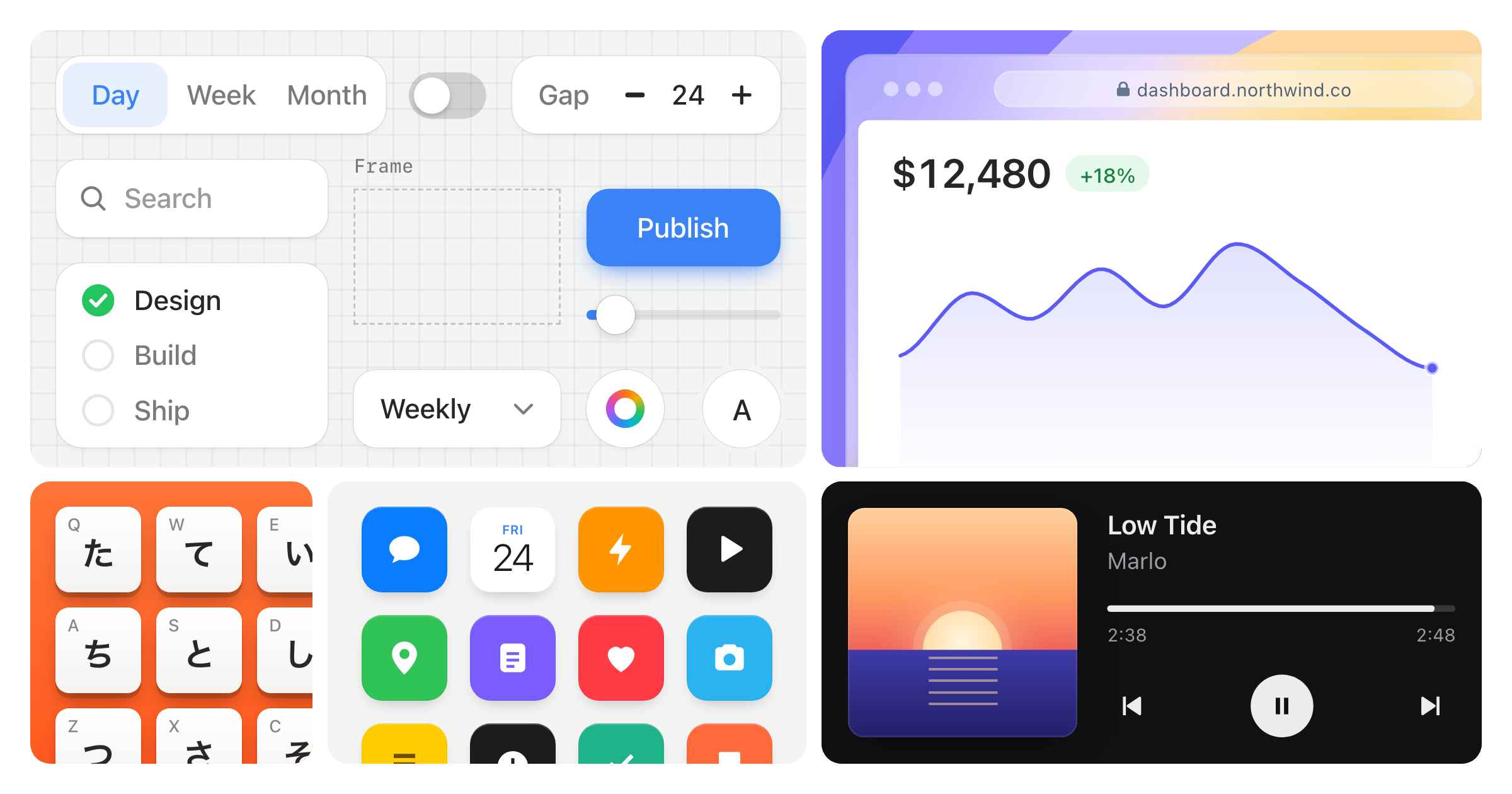
Image from Stageshow's GitHub repo. The case's figures and results are the author's public claims. We have not verified them or redone them ourselves.
Why it works: three habits
- Build one UI first, then derive the assets: prepare the UI, colors and sample data once, and start the video, hero image and cards from it. Assets made separately rarely look like they belong to one company. Assets from the same base stay consistent by default.
- Each animation says one thing: Stageshow asks for a demo with 3 to 5 beats, running a dozen seconds or so, with a reason for every cursor move, ending on the result. Real text appears only where the story happens. The rest uses gray placeholder bars, so the screen doesn't look like random AI filler.
- Start from an example, record it, then review it: Stageshow ships with dozens of examples and a recording check script. The agent starts from the closest example, records the animation as a row of key frames to check itself, and fixes problems until it passes. It doesn't just draw one picture and call it done.
Step by step: a five-step SOP

Both people and agents can follow these five steps. Give the Stageshow skill to your agent, and have it check each step against the "done when" criteria before you confirm and move on to the next one.
Sign in to unlock this key section
New accounts get 10 free credits, plus 1 more for each daily check-in. Spend 1 credit to unlock and it stays open for you.
Common pitfalls
- Presenting the demo as a real feature: the AI results on screen are fixed. Don't write marketing copy that says a feature has launched when the product doesn't have it yet.
- Filling every line with real text: the fuller it is, the more it looks AI-generated. Let viewers see only the few spots the story needs, and leave the rest as placeholder bars.
- Borrowing another product as the front: the examples include real products like Figma and Slack. You can borrow their interactions, but don't carry their names and icons into your assets.
- Delivering after one still frame: a good-looking frame doesn't mean the motion is smooth. Have the agent record the full loop, and watch it from start to finish yourself.
- Assuming no code is needed: Codex writes React and CSS, so the computer needs a working Node environment. Changing the animation timing or exporting video often takes several rounds back and forth.
For the install and check steps the agent needs, see the Stageshow skill page. Project: benjitaylor/skills.
Where it usually breaks
- 01Presenting the preset AI results in the demo as real features in the marketing.
- 02Filling every line with real text, which makes it look AI-generated.
- 03Borrowing other products' names and icons as the front.
- 04Delivering after viewing only one still frame, without watching the full animation.
- 05Assuming no code is needed at all, and leaving no time for revision rounds.
Comments (0)
No comments yet. Start the conversation.