


There is too much tech news to follow every day: Hacker News has hundreds of posts a day, and Reddit, GitHub and X are constantly scrolling, while your time is fixed. The open-source project Horizon aims to solve exactly this: it watches these sources for you, filters out what is worth reading, and writes it up as a bilingual Chinese-English daily digest.
What it does
Horizon is an automated pipeline. The process roughly works like this:
- Fetch: Pull content from the last 24 hours (adjustable) from the sources you choose.
- Score: Have AI score each item from 0 to 10 according to rules, and also provide a rationale, a one-sentence summary and tags.
- Filter and deduplicate: Drop items below the score threshold you set, and merge multiple reports of the same event into one item.
- Add background: For the items that remain, have AI search the web for background and organize the discussion from the comment sections.
- Publish the digest: Generate English and Chinese versions in Markdown, grouped by category.
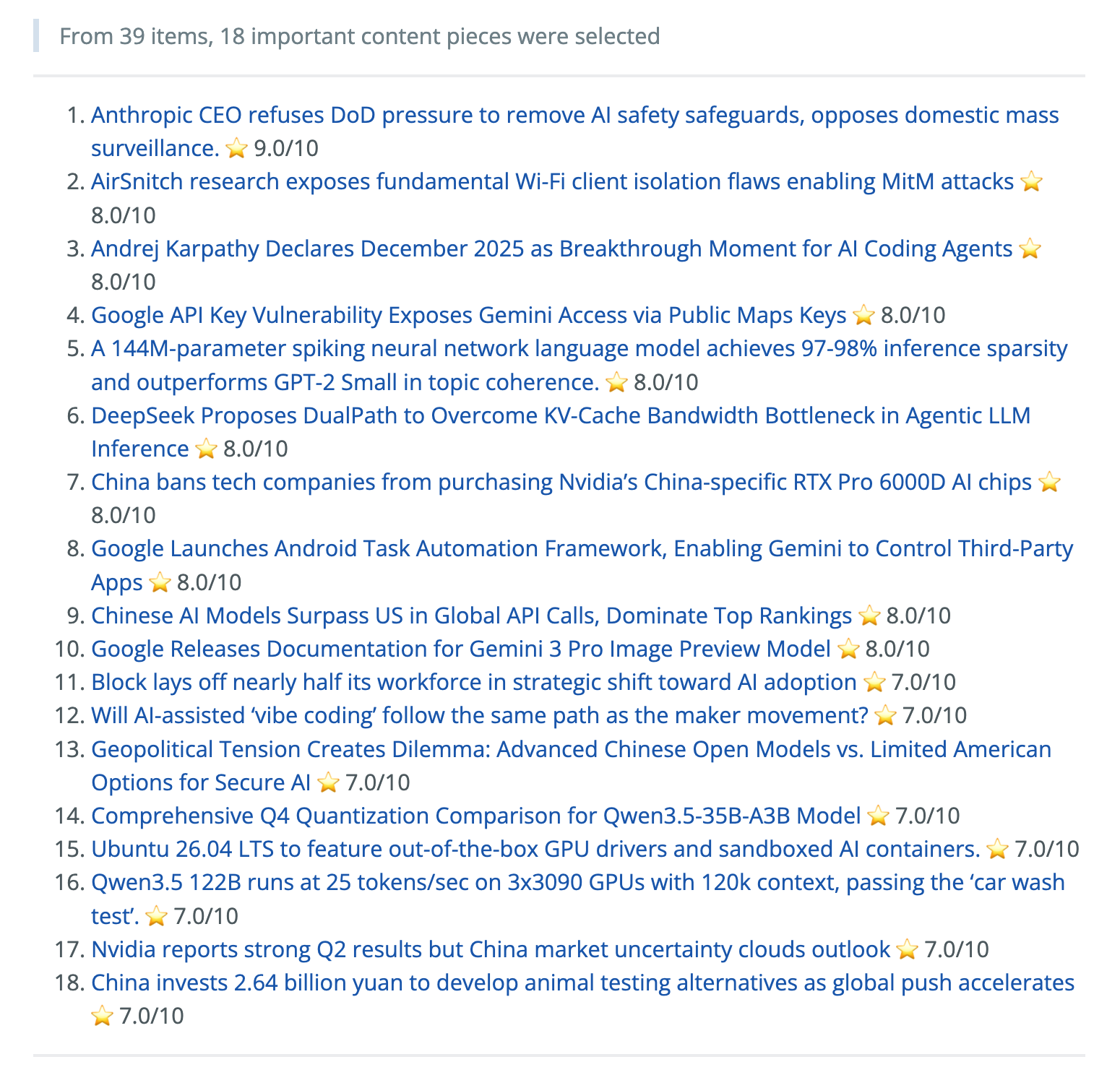
Image from the project repository README.
Each item also includes a background introduction, reference links and a summary of community discussion, not just a headline:
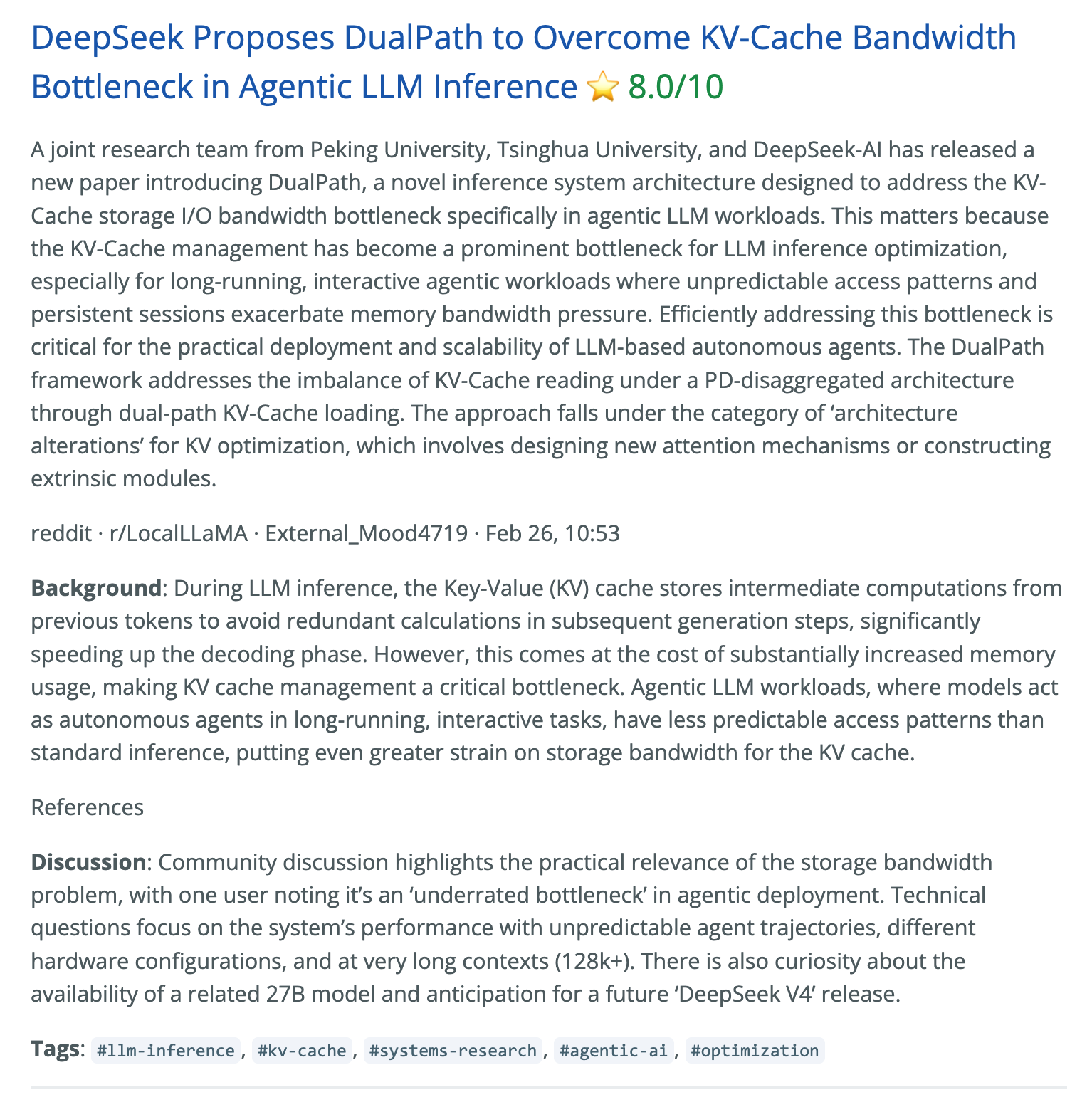
Image from the project repository README.
Which sources it can fetch
Sign in to unlock this key section
New accounts get 10 free credits, plus 1 more for each daily check-in. Spend 1 credit to unlock and it stays open for you.
It also supports Google News, GDELT, OSS Insight (trending open-source projects) and financial news (OpenBB).
Where the digest goes
- Published as a GitHub Pages site, updated automatically every day.
- Email subscriptions: sent to subscribers via SMTP and IMAP.
- Pushed to Feishu, DingTalk, Slack, Discord or a custom Webhook.
- WeChat push: after logging in by scanning a QR code, messages are sent via iLink Bot, subject to WeChat's reply limits.
Profiles are its signature feature
Different content calls for different ways of reading: news should answer "why it matters", and in-depth technical articles should answer "what I can use". Horizon manages this with profiles: each profile has its own scoring criteria and output format. It ships with three examples:
| What you follow | Profile | Output |
|---|---|---|
| Tech news | tech-news |
Events and background, with impact and community discussion when relevant |
| Engineering deep-dive articles | tech-blog |
Background, solutions and usable practices |
| AI creator content | ai-creator |
Summary, with content angles when relevant |
You can assign a profile to each source, or let AI match them automatically. To change it to your own taste, you usually don't need to change any code. You can also cap the total number of items in the digest and the share of each category, so that one hot topic doesn't fill the entire digest.
What you need to prepare
- An AI model API key. It supports OpenAI, Anthropic, Gemini, Azure, MiniMax, Alibaba Bailian, Doubao, DeepSeek and others. Eligible ChatGPT subscribers can also sign in to authorize access instead of using an API key. You pay for model usage yourself.
- X content requires Apify additionally. It is fetched through the Apify platform, which requires an Apify account and token. The project documentation says the free tier includes a monthly credit of 5 USD, roughly enough for 20,000 tweets. Each extra keyword in a keyword search means one more fetch.
- Reddit requires no key, and fetching is free. Setting a GitHub token raises the request limit.
- Environment: Install it as a Python project; uv is recommended, but Docker also works. Setup has an interactive wizard that first asks about your interests (for example "LLM inference" or "network security") and then generates the configuration automatically. You can also use GitHub Actions to run it on a daily schedule.
A user-friendly usage
The project also provides an Agent Skill. Once installed, an assistant such as Claude Code can help you configure sources, adjust profiles and run Horizon, so you don't have to edit configuration files yourself:
npx skills add Thysrael/Horizon --skill horizon -g
It requires Node.js 22.20 or above.
Notes
- This is a Python project that must be installed and run from the command line, which is a bit of a barrier for people who never touch a terminal.
- AI scores and summaries can be off, so read the original source for anything important.
- We have not actually run it. The above is compiled from the project documentation, and the exact steps should be confirmed on the project homepage.
If you want to try it, first look at the online demo on GitHub, then decide whether to set it up yourself.
Comments (0)
No comments yet. Start the conversation.