

What you'll get
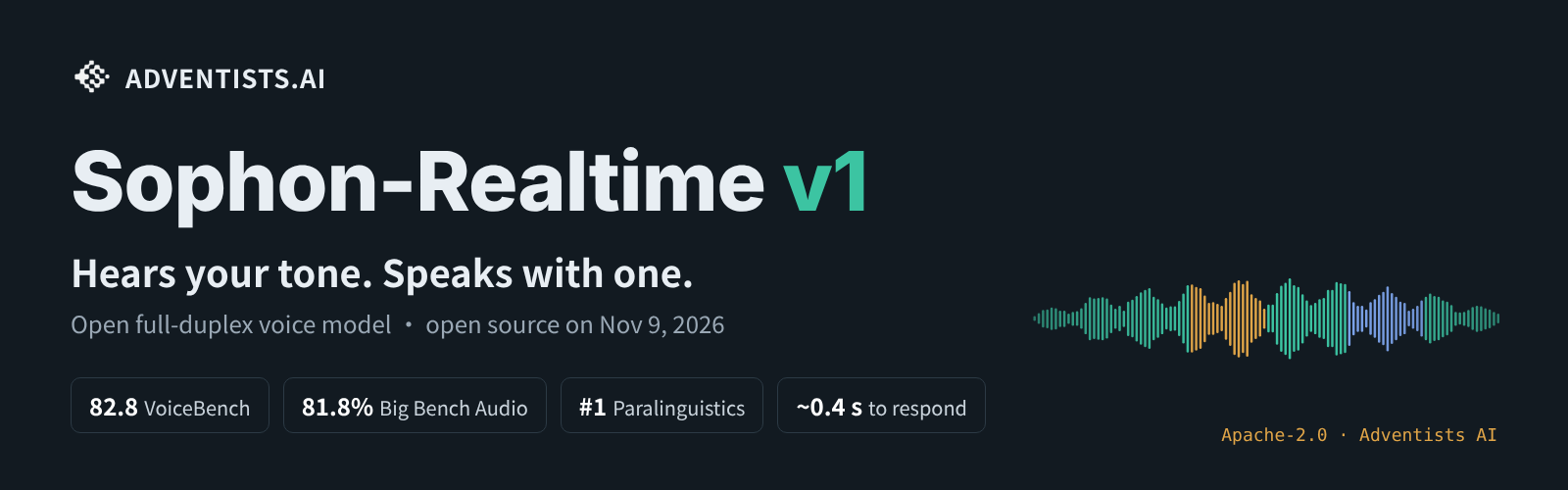
Build a real-time voice assistant on your own server with Sophon-Realtime, an open-source model. It starts working on a reply before you finish talking, and it begins speaking a few tenths of a second after you stop. If you say "I'm fine" in a flat voice, it can hear the strain in your tone. When something is funny, it laughs out loud. Talk over it and it goes quiet to hear you out. The code and model weights are both Apache-2.0, so you can use them commercially for free. This article includes 3 copy-ready prompts.
It's built for people making voice products, not a phone app. Self-hosting means renting a large GPU by the hour. If you only want to hear it, the online demo in step 1 is enough.

How it differs from a typical voice assistant
A typical voice assistant works in three stages. It turns your speech into text, has a language model write a reply, and then reads the reply aloud. Each stage drops some information, and tone is the first thing to go. Sophon-Realtime takes a different approach.
-
Always listening: After every pause, it decides whether you're done, still thinking, or just said "mm." It doesn't cut in, and it doesn't sit there waiting.
-
It hears how you say things: "I'm fine" said with a smile and "I'm fine" said through gritted teeth get different replies. In the project's own tests, it scores first among public models on tone recognition.
-
Replies come with acting cues: While it writes a reply, it marks where to laugh, sigh, clear its throat, or stress a word. The voice model performs these cues instead of reading "[laughs]" out loud.
-
Interrupt it anytime: When you cut in, it stops right away. Later turns only remember the part it actually said out loud.
Step 1: Try it online first to see if it's worth deploying
The project hosts an online demo on ModelScope. Open it in your browser, allow microphone access, and start talking. Run these tests:
-
Say "I'm fine" in a very down tone. See if it asks a follow-up question.
-
Cut in while it's still talking. See how fast it stops.
-
Tell it something happy. See if it laughs along.
-
Switch to the language your product will use. Chinese and English are fully supported, and Italian, German, Spanish, French, and Portuguese also work for conversation.
If the results look right, keep going. The repo homepage also has an uncut, unsped-up English recording you can watch first.
Step 2: Pick a version
All three versions share the same "brain," a 32B model. What sets them apart is the step that turns a written reply into a voice:
Tag (recommended)FlashE2E (preview)Best forCompanions, characters, and demos where the voice needs to actCustomer service, in-car systems, and high concurrencyResearch into end-to-end voiceTime to first soundAbout 0.6 sAbout 0.31 sAbout 1 sConcurrent speakers on one 80 GB GPU16404–5GPUs needed112
Not sure? Start with Tag. Tag and Flash have the same interface, so you can switch between them at any time.
Step 3: Rent a GPU and let an agent deploy it
The model needs Linux, an NVIDIA GPU with 80 GB of VRAM (for example an H100 or an A100 80G), and Python 3.12. The first launch downloads about 42 GB of model weights. A home computer can't run it. Rent a machine by the hour from any cloud GPU provider, then send the prompt below to Claude Code or Codex. It will install everything over SSH.
Sign in to unlock this key section
New accounts get 10 free credits, plus 1 more for each daily check-in. Spend 1 credit to unlock and it stays open for you.
A few reasons behind the wording:
-
Check before you install: If the VRAM is under 80 GB, the CUDA version is wrong, or the disk is too small, the install fails halfway through. You then pay for extra hours of machine time for nothing.
-
Don't expose the port: Anyone who can reach a voice service can use it. An open port on the internet lets strangers spend your GPU budget, and they could record the audio.
-
Don't skip the last line: A GPU billed by the hour can cost real money if you forget to shut it off overnight.
Step 4: Plug it into your own app
Once the service is running, it has two entry points. One is a live connection that listens and talks at the same time (WebSocket, with a format similar to OpenAI's Realtime API). The other is a standard endpoint where you send an audio clip and get back text and speech. If your project already uses OpenAI's realtime voice API, you mostly just change the address. If you're starting from scratch, have an agent build a simple test page you can talk into first:
My Sophon-Realtime service is running on this machine through an SSH tunnel at [ws://127.0.0.1:8000/v1/realtime]. Please build the simplest possible web page to test it:
1. One button starts or ends the conversation. It opens my microphone, streams my voice to the service in real time, and plays its voice back as it arrives.
2. Show the text of both sides of the conversation on the page.
3. Read the repo's docs for the realtime endpoint first, and send audio in the format it asks for. Don't guess.
4. Run it only on this machine. Don't deploy it to the public internet.
When you're done, tell me how to open the page and how to test cutting in while it's talking.
If you want the assistant to do real work, such as looking up orders or booking seats, the repo also has a Live mode. Sophon handles the speaking. Your own backend or a larger model handles lookups and actions, and Sophon then speaks the results.
Step 5: Give it your own persona (optional)
By default, it acts as a general assistant. To turn it into your brand's customer service agent, a character, or an expert in your field, you can use LoRA fine-tuning. LoRA is a low-cost training method that changes only a small part of the model. One 80 GB GPU is enough, and the voice, tone tags, and interruption ability all stay intact. First, ask the agent to read the instructions in the finetune/ folder of the repo. Then tell it the persona you want:
Please read the instructions in the finetune/ folder at https://github.com/adventists-ai/sophon-realtime and help me plan a LoRA fine-tune:
1. The persona I want is: [describe it in one sentence, for example "a customer service agent for a pet shop who speaks warmly and recommends products"].
2. Tell me how many conversation examples I need and what format they should be in. Give me 3 sample examples to model mine on.
3. Estimate how long one training run takes and roughly how much GPU rental will cost.
Give me the plan first, and wait for my confirmation before starting anything.
Notes
-
GPUs with 80 GB of memory are billed by the hour. Shut yours down when testing is done. Before going live, work out how many people one hour of GPU time can serve, and what each person costs you.
-
Most benchmark numbers in the README come from the team's own tests. Run your own tests on your product before you decide.
-
Don't let it pretend to be a human. When someone calls or chats with it by voice, tell them they're talking to an AI. Store and disclose recordings and transcripts according to local rules.
-
Japanese and Russian are only available in the Flash version for now. Korean is coming.
References
-
GitHub: adventists-ai/sophon-realtime (Apache-2.0)
-
Online demo: Sophon-Realtime on ModelScope
-
Model weights: Hugging Face (Tag version)
Its ears come from DuplexJev, an open-source project from the same team. DuplexJev decides when to speak, whether you've interrupted, and what mood the other person is in.
Comments (0)
No comments yet. Start the conversation.