


Getting an Agent to make video, motion graphics, or 3D usually takes more than installing one Skill. A more practical approach is to build a small combination for each task: one Skill handles output, one handles motion, one handles 3D, and one puts the result on a web page.
This tutorial sorts 12 open-source Skills into four groups, gives three combinations you can run as written, and points out the pitfalls in advance. It suits people who already use Claude Code and want to apply their Agent to visual creation.
What you'll be able to do
- Understand what each of the 12 Skills does, instead of installing all of them blindly.
- Pick 2 to 3 Skills for a goal, rather than installing a pile that compete to trigger.
- Use an Agent to make a product promo video, a Blender 3D scene, or a playable web 3D mini-game or showcase.
- Know which parts cost money and which need copyright checks first, so you avoid compliance mistakes.
Preparation
- Claude Code installed (or another Agent that supports Skills).
- Node.js 22 or later on your computer; several video Skills also need ffmpeg and Chrome.
- Blender installed for the 3D scene group.
- Willingness to let the Agent run scripts on your computer. Before installing any third-party Skill, read its instructions and license.
Start with the map: four groups of Skills
The descriptions below are based on each project's README. We did not install and test each one.
Video
| Skill | What it does | License |
|---|---|---|
| hyperframes | Lets the Agent write HTML and render it as video; includes ready-made components such as transitions and charts, plus asset tools | Apache-2.0 |
| remotion skills | Teaches the Agent to make video with React and Remotion | Repository does not state a license |
| OpenMontage | A complete open-source Agent video production system with 12 production workflows | AGPL-3.0 |

Image from the example in the video-shotcraft repository README.
Motion
| Skill | What it does | License |
|---|---|---|
| gsap skills | Official GSAP skills that teach the Agent to use easing, timelines, and scroll animation correctly | MIT |
| video-shotcraft | Makes editable product promo videos with Remotion, with 124 built-in shot recipes | Apache-2.0 |
| motionmaxxing | Upgrades videos that 'look obviously AI-made' to the standard of a motion designer | Apache-2.0 |
Blender
| Skill | What it does | License |
|---|---|---|
| mcp-for-blender | Lets any large model operate Blender through MCP and build whole scenes | MIT |
| blender-skills | 94 specialized Blender skills, from rough models to export for game engines | MIT |
| dream-loop | Blender plus image generation, with a 'judge' sub-agent that scores each render for repeated improvement | MIT |
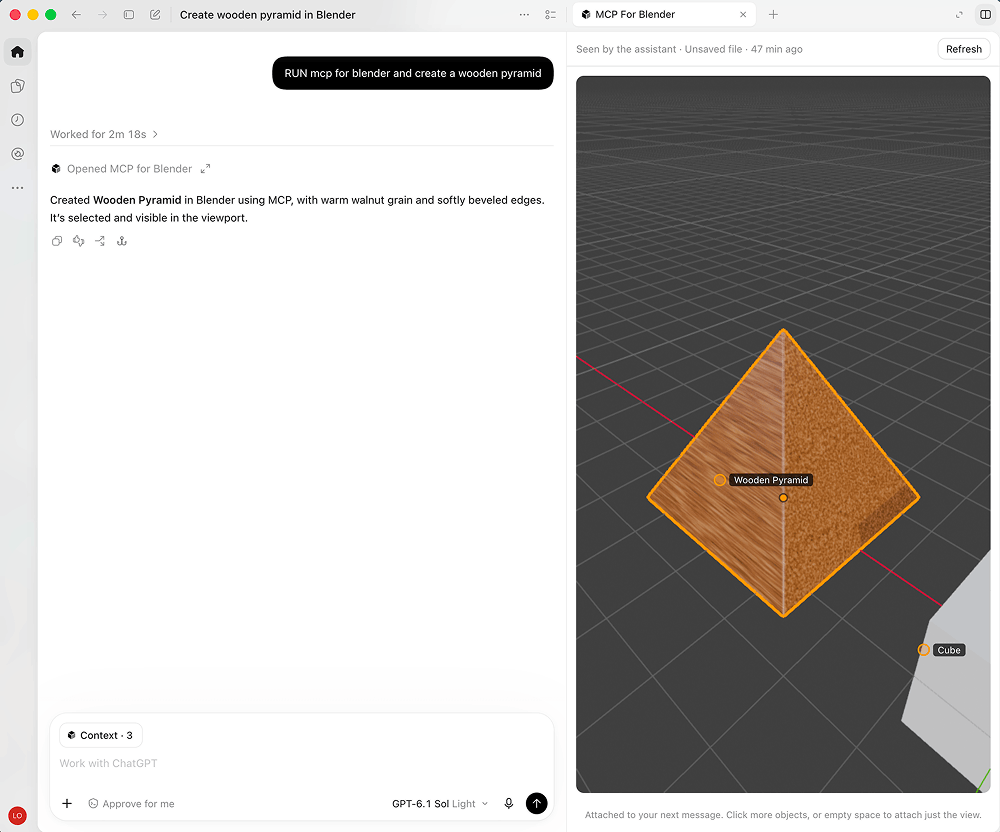
Image from the mcp-for-blender repository: the conversation is on the left, the Blender viewport is on the right.
Web 3D
| Skill | What it does | License |
|---|---|---|
| threejs-game-skills | Makes playable web mini-games with Three.js, covering gameplay, visuals, and testing | MIT |
| anatomy | Draws isometric breakdowns of machines and complex system diagrams, outputting SVG and WebGL | MIT |
| 3dviz-pro-max | Takes in one idea and outputs a Three.js or Blender scene | MIT |
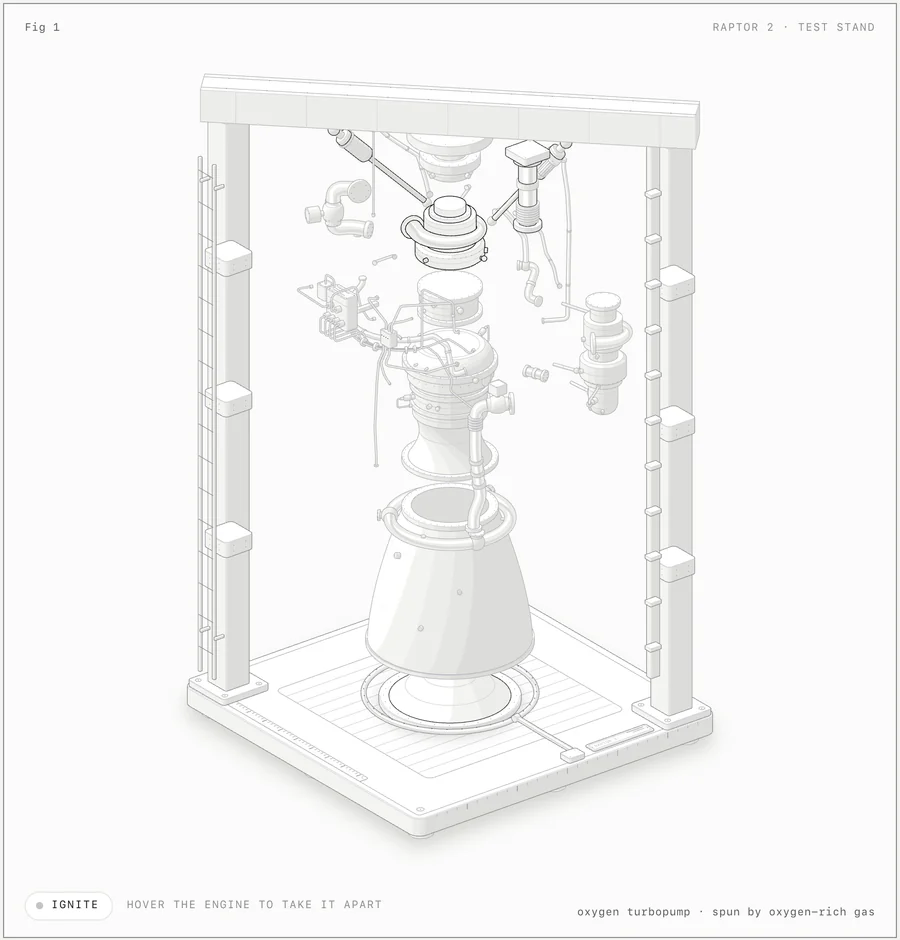
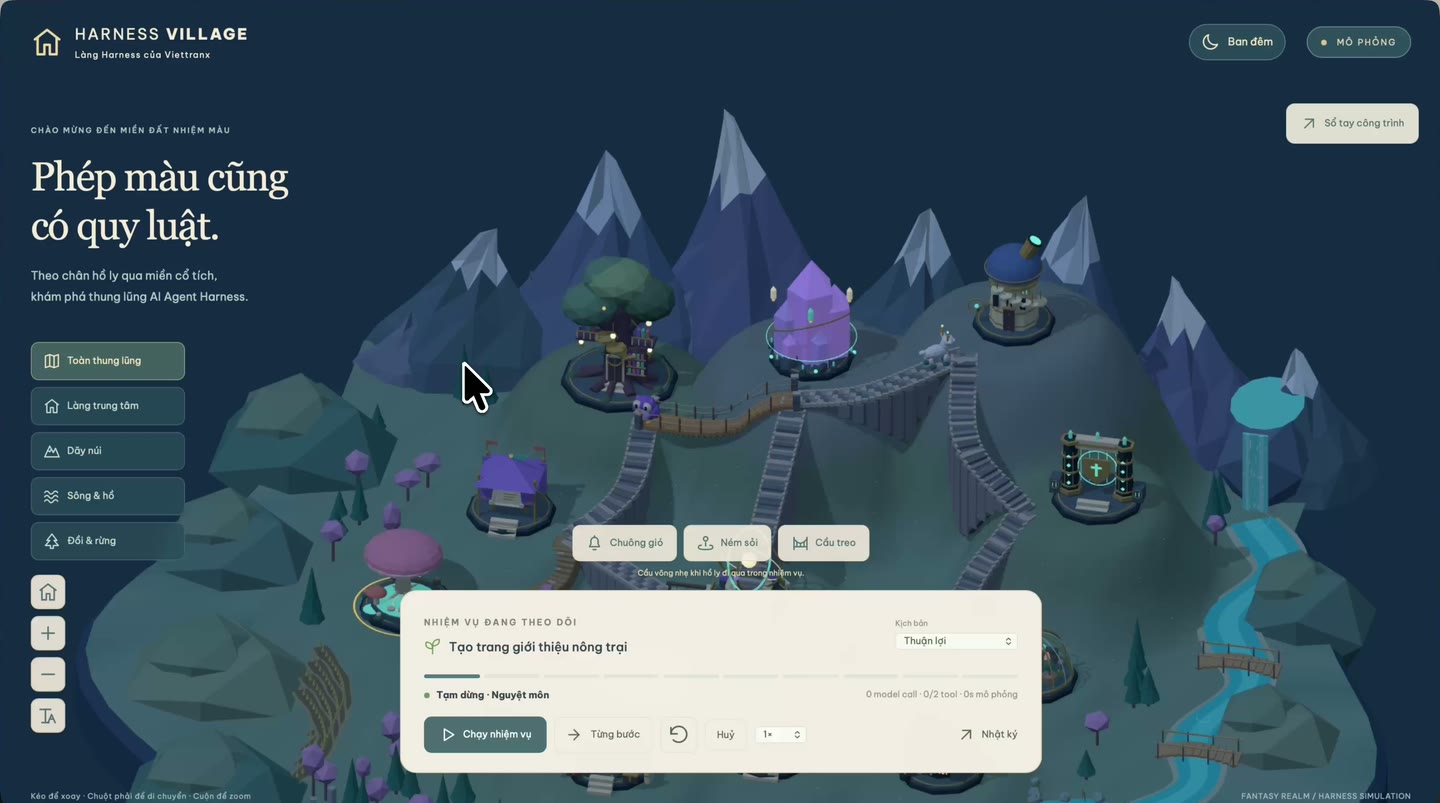
The two images above come from the example pages of the anatomy and 3dviz-pro-max repositories.
Don't install everything: three combinations
The more Skills you install, the more the Agent hesitates when deciding which to trigger. Start by picking one combination.
Combination 1: product promo video
Suited to: a 15 to 60 second promo video for a product, feature, or event.
- Main: video-shotcraft, handles shot structure and the finished video.
- Motion: gsap skills, makes the easing and rhythm of animation more professional.
- Render base: hyperframes, produces video from HTML, with ready-made components for assets and transitions.
Say this to the Agent:
Sign in to unlock this key section
New accounts get 10 free credits, plus 1 more for each daily check-in. Spend 1 credit to unlock and it stays open for you.
Combination 2: Blender 3D scene
Suited to: a set of 3D scene images, product display renders, or game assets.
- Control: mcp-for-blender lets the Agent actually operate Blender.
- Specialized ability: blender-skills adds workflows for modeling, materials, lighting, and export.
- Quality check: dream-loop uses a 'judge' to score each render, improving it round by round.
Say this to the Agent:
Use Blender to build a small room scene with a warm color palette.
After each render, have the judge sub-agent score it and point out problems. Make three rounds of changes, then give me the final image.
Combination 3: 3D on the web
Suited to: interactive 3D showcases, mini-games, or explanatory diagrams.
- Games: threejs-game-skills handles gameplay, visuals, and QA.
- Explanatory diagrams: anatomy turns a machine or system into an interactive isometric diagram.
- Starting from an idea: 3dviz-pro-max suits cases where you have only one concept and want to see the scene first.
Say this to the Agent:
Use anatomy to draw an isometric breakdown of a mechanical coffee machine.
When each part is hovered over, show its name and function.
How to install
Installation differs by project. Below are the methods given in each README. Before installing, open the project page to confirm the latest instructions.
# hyperframes: install the core skill, add others as needed
npx hyperframes skills update

# General method (remotion, gsap, threejs-game-skills, and anatomy all support it)
npx skills add remotion-dev/skills
npx skills add https://github.com/greensock/gsap-skills
npx skills add Vincentwei1021/video-shotcraft
npx skills add wheresryan22/anatomy -g -a claude-code
npx skills add achimala/dream-loop
- motionmaxxing: clone it to
~/.claude/skills/motionmaxxing, then run its bundled install check script. The script only checks dependencies and does not install system software. - mcp-for-blender: its README provides a one-click install script. If you already have uv, you can also run
uvx mcp-for-blender setup. If you want to check it yourself, don't run scripts from the internet directly; read the script first. - blender-skills: install uv and the Blender MCP add-on first, then follow its quick start.
- 3dviz-pro-max: install it as a plugin in Claude Code. See its README for the command.
- OpenMontage: it is a complete system. You need to clone the repository and install dependencies, which is much heavier than a single Skill. Read the README fully before deciding.
After installing, first ask the Agent to list the available Skills and confirm it has actually found them, then start working.
Advanced: rebuild a video as an editable project
hyperframes has a /reverse-any-video skill that rebuilds a video as an editable HyperFrames project, matched frame by frame against the original. A few key points:
- Only use videos you have the right to use. Its instructions explicitly require that you rebuild only videos you are entitled to use. Don't 'copy' someone else's work.
- This is a HyperFrames Pro feature. The skill instructions state that reverse requires Pro, so you need to upgrade to use it. Some online claims say it is free; follow the official instructions.
- Usage statistics are collected. When the skill starts, it runs a command that reports the skill name. The instructions say it respects the opt-out option. If this bothers you, check its privacy settings first.
- Usage is simple: update the skill first, then hand the video file to the Agent and have it rebuild the video with this skill.
FAQ
Installed, but it doesn't trigger? Write the skill name directly in your prompt, for example 'Use video-shotcraft to make...'.
The Blender group won't connect? First confirm that the add-on in Blender is running, then have the Agent operate it.
The visuals aren't what I want? Describe the direction specifically: reference style, rhythm, and colors. Then use a workflow with a 'judge' like dream-loop to iterate.
Can I use it commercially? Check each project's license first. OpenMontage is AGPL-3.0, so changes and distribution carry open-source obligations. Remotion itself has its own license terms, so check the official instructions before company use. Assets and models in the repositories may also have their own restrictions.
How many should I install? Start with 2 to 3 from one combination, get it working once, then add more.
Comments (0)
No comments yet. Start the conversation.