

An indie developer with several websites put all of their SEO data into OpenSEO, an open-source tool he hosts himself. He connected each site's Search Console and Google Analytics, and his AI agent reports traffic every day on a schedule, flags SEO problems, and fixes them along the way. By his own public account, he used to ask his AI agent to run an SEO pass every so often. Now problems get fixed as soon as they show up, and it works much better. The key is that your AI agent sees the same real data every day, instead of waiting until you remember to check.
How the SEO Check Works
| Stage | What it does | Output |
|---|---|---|
| Single dashboard | OpenSEO runs on your own account, so every site is in one place | Keywords, rankings, backlinks, site audits, and visibility in AI search |
| Connect the data | Connect each site to Search Console and Google Analytics (read-only) | Real clicks, impressions, rankings, and traffic |
| Your AI agent reads the data | Connect your AI agent through OpenSEO's built-in MCP and Agent Skills | Your agent can query the data directly, with no spreadsheet exports |
| Daily report | A scheduled task summarizes everything each morning | Traffic changes and SEO problem alerts |
| Fix as you find | He hands out tasks with T3 Code, and your AI agent edits the site code | One "Fix SEO issues found in GSC" task at a time, waiting for his review |
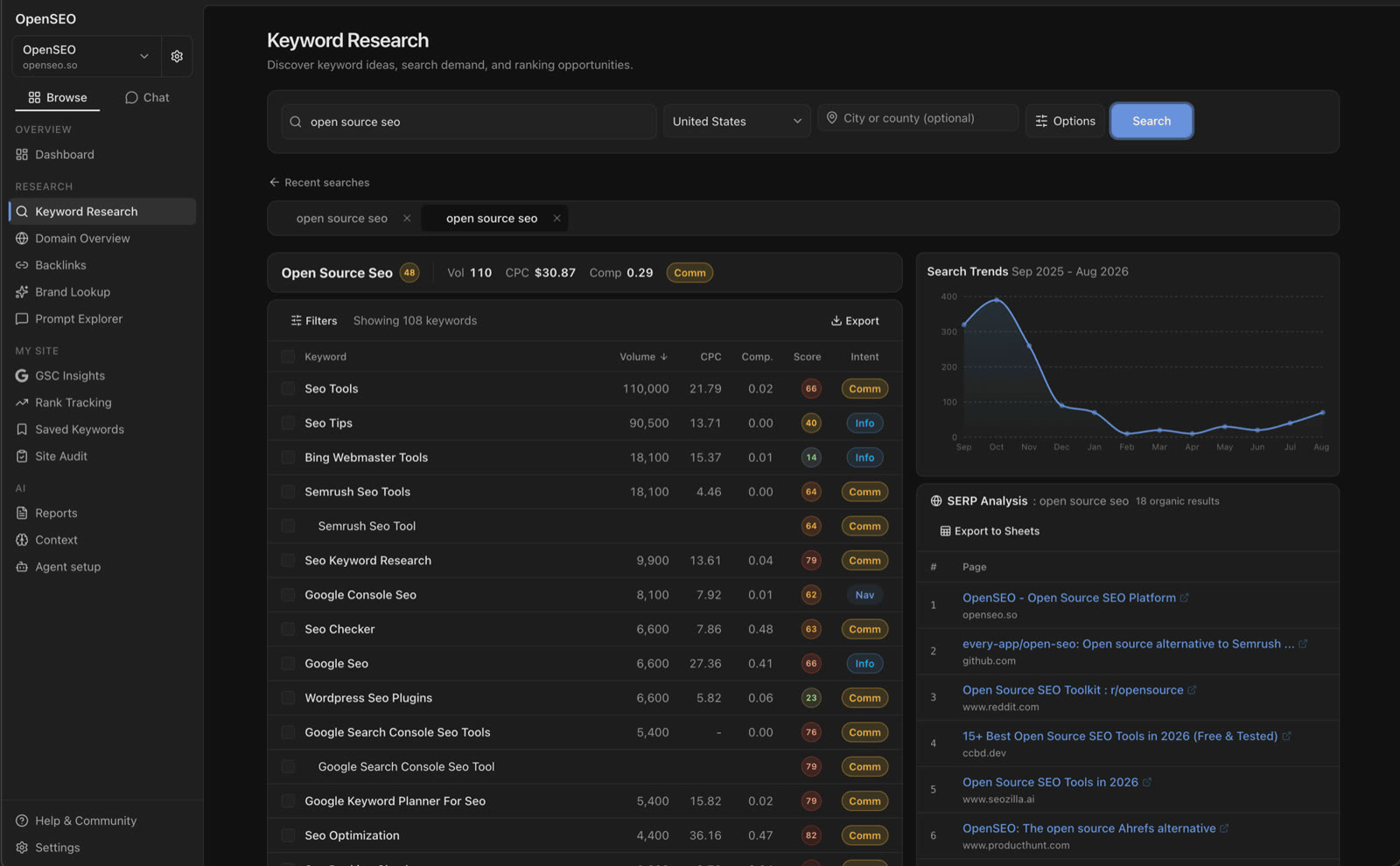
The screenshot comes from OpenSEO's official repo. OpenSEO is open source under the MIT license. Keyword and ranking data comes from the paid service DataForSEO. When you self-host, you pay DataForSEO directly based on usage, with no subscription fee. The official hosted version adds a 28% markup on data fees.
The approach and results above are this developer's own public account. We have not verified them, and we have not deployed it ourselves.
Why It Works: Three Reasons
- All the data is in one place: When each site has its own dashboard, one of them always gets forgotten. Put everything in a single dashboard, and your AI agent can check all of your sites in one pass.
- Your AI agent works from real data: Without data, asking an AI agent to "optimize SEO" means it can only guess from experience. Connect Search Console, and it can see which pages dropped in rankings and which pages get clicks but don't convert.
- Fix small problems the same day: Daily checks split problems into small tasks. That's less risky than saving everything for a big overhaul once a quarter, and it's easier to trace when something goes wrong.
Build It Yourself: A Five-Step SOP
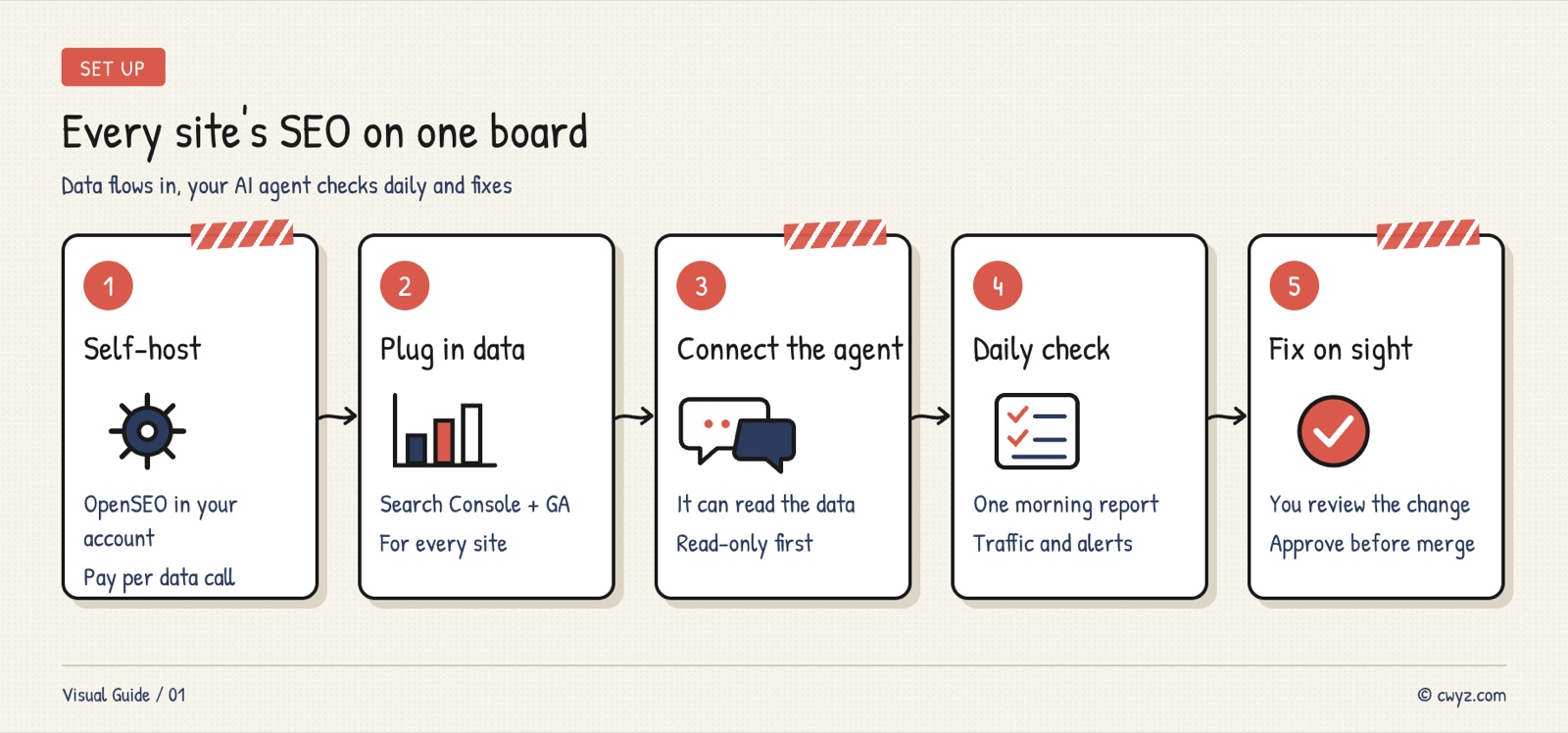
Hand this to your AI agent, and have it check each step against its "done when" criteria as it goes.
Sign in to unlock this key section
New accounts get 10 free credits, plus 1 more for each daily check-in. Spend 1 credit to unlock and it stays open for you.
Security Non-Negotiables
- Read-only access only: Connect both Search Console and Google Analytics as read-only. Your AI agent doesn't need to change any settings in your Google account.
- Cap your data spending: DataForSEO charges per call. Top up a small amount, turn off auto top-up, and don't schedule tasks to run every hour.
- Don't leave a self-hosted dashboard open: Log in with the official account, or put it behind private access such as Cloudflare Access or Tailscale. Never expose a dashboard without a login to the public internet.
- Review before anything goes live: Your AI agent edits your site code, but the merge and publish buttons stay in your hands.
Common Mistakes
- Asking your AI agent to optimize before connecting Search Console: It can only guess, and its changes may have nothing to do with the real problems.
- Checking too often: SEO data changes from day to day. Checking every hour only adds data costs and noisy alerts.
- Fixing a pile of problems at once: When dozens of changes ship together, you can't tell which one caused a ranking drop. Use one problem per task.
- Not checking back after a fix: A week after a fix ships, look at the data for those pages again. If nothing changed, your diagnosis was wrong, so write that down.
Once the daily report is running and you want to hand out fix tasks from your phone while you're away, see the case study Leave the Computer Home, Run Your AI Agent From Your Phone. To learn how to read Search Console data first, see the advanced tutorial Advanced: Let Claude Find the Gaps in Pages That Already Rank. Project: OpenSEO
Comments (0)
No comments yet. Start the conversation.