

What you get
Your AI agent dubs a video into another language. The dub keeps the same person's voice, puts each line back at its original time, leaves the picture unchanged, and finishes with new subtitles. Everything runs on your own computer, for free. The article includes three prompts you can copy directly.
This is how we make our own bilingual tutorial videos: the host speaks English in the original recording, and the Chinese version is dubbed in the same cloned voice. We do this for every video. Videos where nobody speaks to the camera (narration, screen recordings, voice-overs) work best. If someone is on camera, the lip movements won't match, and viewers can tell it's dubbed.
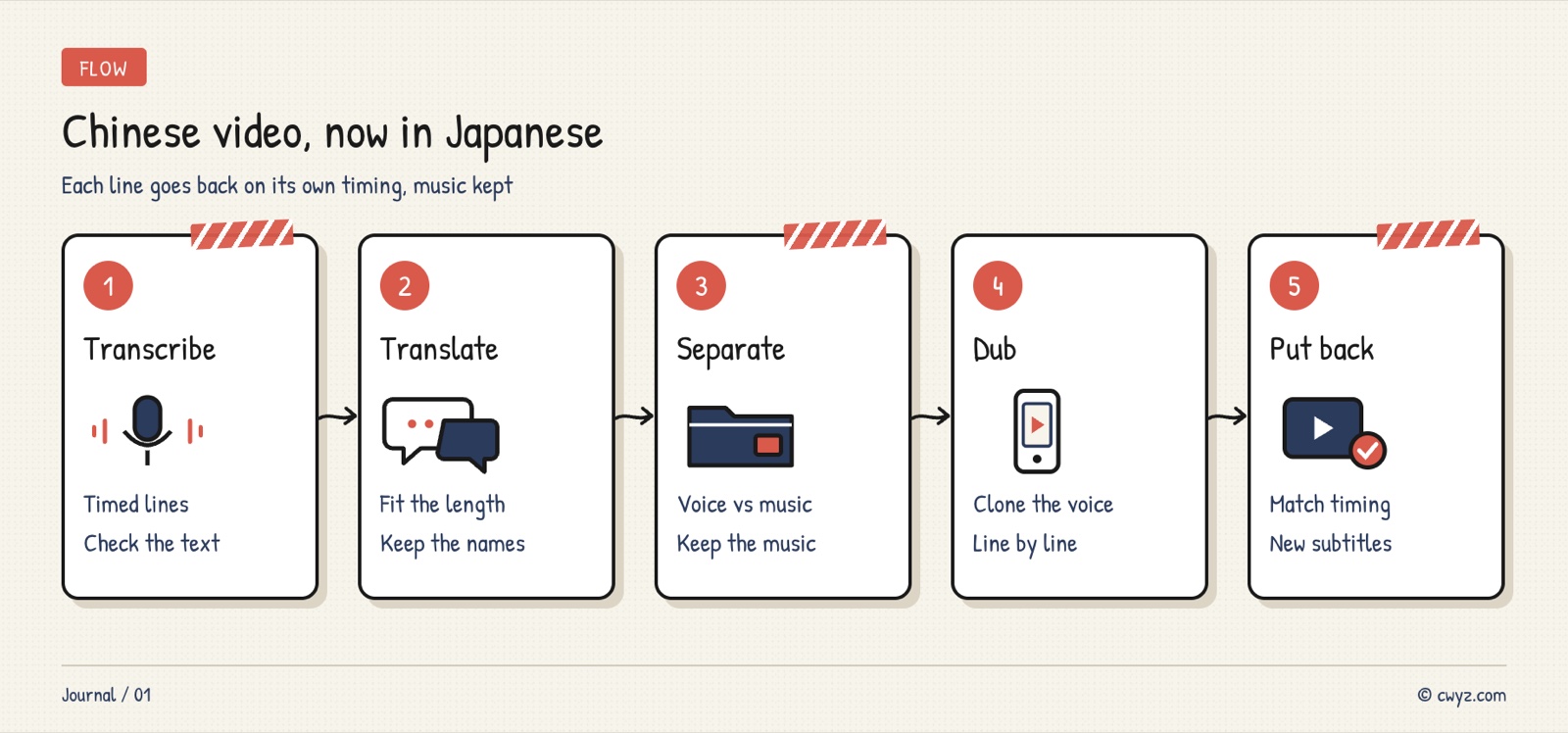
Our method
-
Transcribe with timestamps: first write down each line of the original speech, with its start and end time. Transcription makes mistakes, so check it.
-
Translate to the timing: each translated line must take no longer to say than the original line. Solve length problems while translating, not afterward.
-
Synthesize line by line in the cloned voice: use the open-source F5-TTS, with a clean 5 to 10 second sample of the original voice as the reference, to generate the new language one line at a time.
-
Place each line back at its original time: each line starts where the original line started. If it runs longer, speed it up, up to 1.25x. Faster than that sounds unnatural, so it's better to go back and shorten the translation. Finally, normalize the loudness.
We wrote this method up as a Skill (a specialist instruction file for AI agents): video-dub. It includes a small script that runs the four steps above with four commands.
Step 1: have your AI agent install it
Please install this Skill: https://cwyz.com/api/skills/video-dub/raw
1. Read the whole thing first, then tell me in plain language what it will install and how much disk space it needs.
2. Prepare the environment as the Skill describes: ffmpeg, F5-TTS, faster-whisper. Ask me before installing anything or downloading any models.
3. After installing, test the synthesis with the sentence "Hello, this is a test." and send me the audio file to listen to.
Step 2: transcribe, then translate to the timing
Sign in to unlock this key section
New accounts get 10 free credits, plus 1 more each day you sign in (none on days you don't). Spend 1 credit to unlock and it stays open for you.
We ran this on one of our own English videos. Transcription heard "scout it first" as "scouted first", which completely changes the meaning, so always check the transcript yourself.
Step 3: dub with the cloned voice and place it back
Continue with the confirmed table:
1. Pick 5 to 10 seconds of clean speech from the original video, with no background noise, to use as the voice reference. Tell me which segment you picked and what the original text says.
2. Synthesize line by line with F5-TTS, automatically applying the polyphone replacement table in the Skill.
3. Place each line back at its original time, speeding up by at most 1.25x. For any line that still doesn't fit, list it for me to shorten. Do not speed it up further.
4. Export a new video with the new audio track, and make a subtitle file from the table.
5. List the lines the script flagged for listening, so I can listen to each one.
Fixing misread Chinese polyphones
Cloned voices often misread polyphones, which are characters with more than one reading. For example, duō háng (multiple lines) can come out as duō xíng, and chóng xīn (again) can come out as zhòng xīn. Our fix is to change only the text sent to the model and leave the subtitles alone: swap the word for another character that sounds exactly the same, then synthesize.
OriginalSent to the modelPinyin多行多航duō háng重新虫新chóng xīn行业航业háng yè调用掉用diào yòng
The rule is simple: initial, final, and tone must all match. A different tone is not allowed. The Skill already includes a replacement table we've built up, and it is applied automatically during synthesis. Lines that still contain polyphones are listed by the script so you can listen to them. If you hear a new misreading, have your AI agent add the word to the replacement table and synthesize that line again. Mispronounced English abbreviations are handled the same way, for example by writing "API" as "A P I".
Another model: IndexTTS
IndexTTS from bilibili (latest is IndexTTS2.5) does the same job, and it's the better pick in three cases:
-
You need Japanese, Spanish or Arabic: it speaks Chinese, English, Japanese, Spanish and Arabic, and clones across languages.
-
The video is commercial: its license allows commercial use. Only companies with over 100 million monthly users or over 1 billion yuan in yearly revenue need a separate license.
-
You want pronunciation fixed in one go: you can write the pinyin directly instead of hunting for a same-sounding character.
Swapping is easy: replace only the synthesis in step 3 with IndexTTS and save each line as <id>.wav in the same folder. Transcription, translating to fit the timing and placing lines back stay exactly the same. It doesn't do Korean yet. For Korean, try CosyVoice.
Notes
-
Only clone voices you have the right to use: your own voice, or a voice whose owner has agreed.
-
The F5-TTS model cannot be used commercially: the code is MIT licensed, but the pretrained model is CC-BY-NC. For commercial videos, switch to a model licensed for it, such as IndexTTS.
-
Label AI dubbing when you upload: platforms like YouTube ask you to tick a box for AI-generated or altered content.
Comments (0)
No comments yet. Start the conversation.