

What you'll get
Give your AI agent the free, open-source last30days skill, then tell it a topic you want to understand. It goes through a month of discussions on Reddit, Hacker News, and similar sites for you. Based on upvotes and comments, it picks out the posts people actually care about and returns a brief with sources. You don't have to dig through threads yourself, and you can start without signing up for any account. The guide has three prompts you can copy.
Here's how the work splits: your AI agent does the digging, picks out what matters, and writes the brief. You ask the questions and decide what's worth trusting. Something popular online isn't necessarily true. Use the brief as a starting point, and click through to the original sources before you rely on anything important.
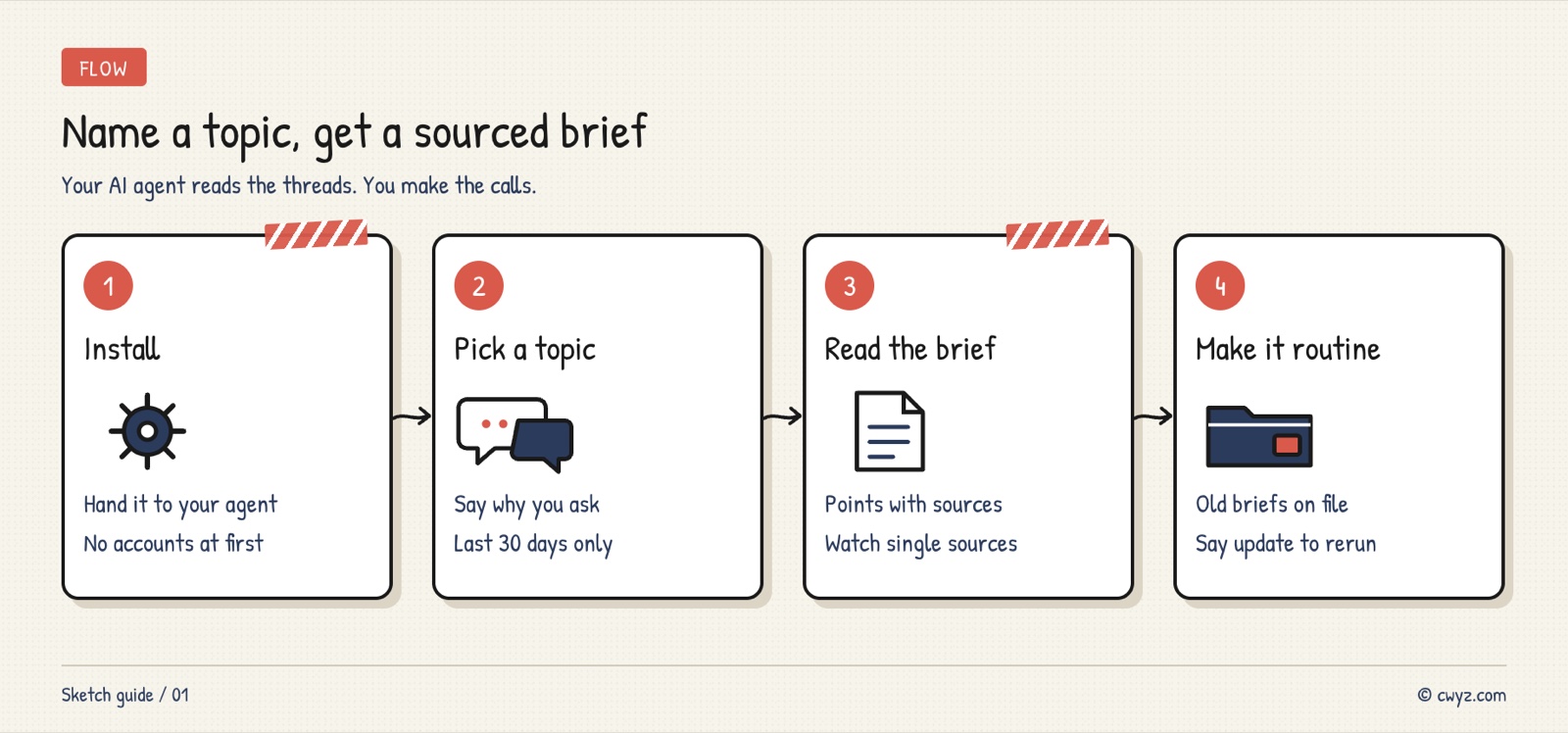
The four steps: have your AI agent install last30days, give it a topic, read the brief it sends back and ask follow-up questions, then set up regular research for the things you check often.
How it's different from a regular search
A normal search usually returns articles that editors picked or that were written to rank well. What real people think is scattered across communities: Reddit comment threads, Hacker News discussions, and bets on prediction markets. last30days searches all of these at once.
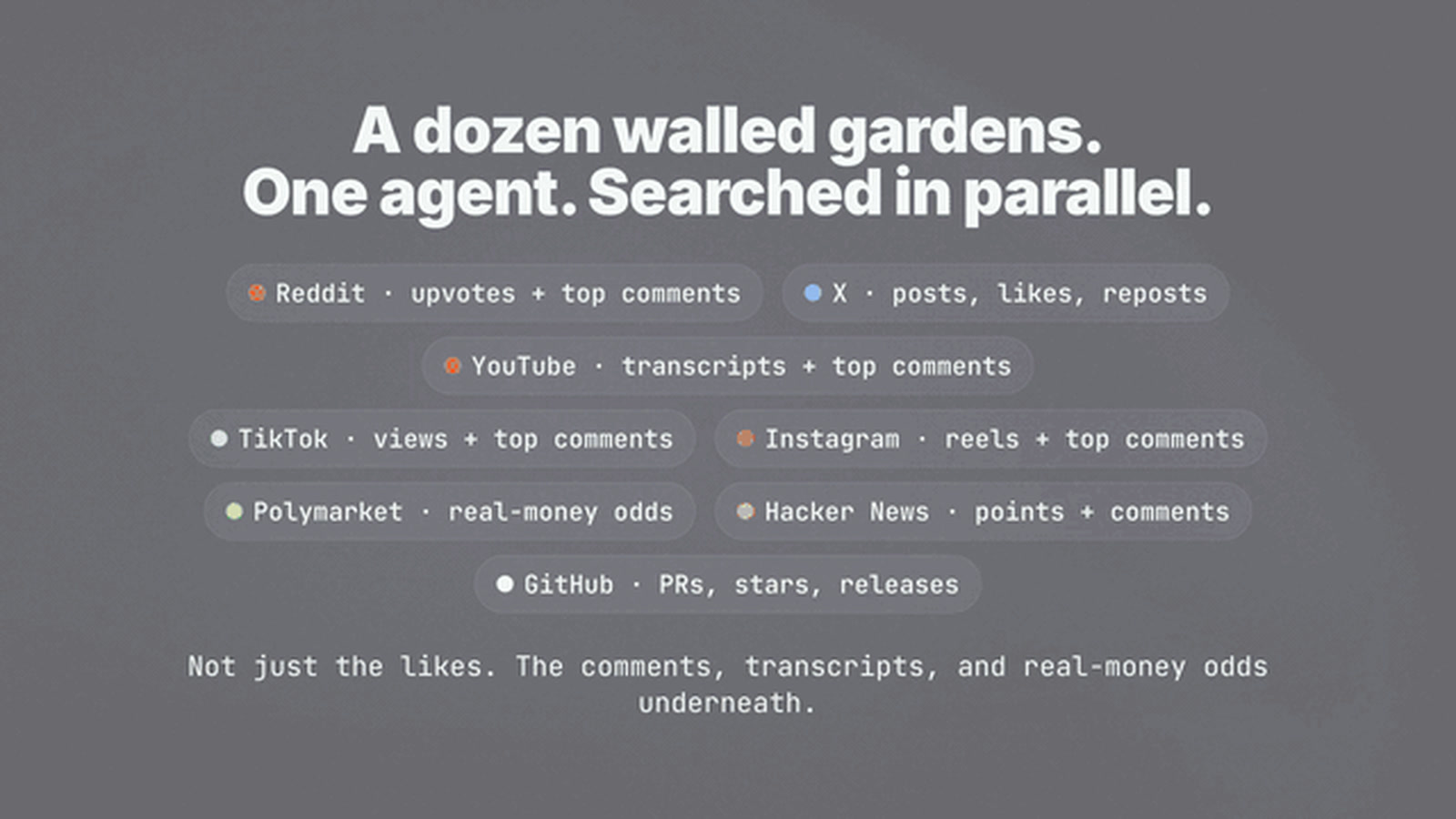
The image comes from the demo GIF in the project's GitHub repo.
It differs from a normal search in three main ways:
- Only the last 30 days: good for following things as they happen, with old news kept out.
- Ranked by real engagement: a thread with a thousand upvotes ranks above a blog post nobody read.
- Every point has a source: the brief says which post a claim came from and how many people liked it.
Step 1: Have your AI agent install it
Copy the text below and give it to your AI agent. It will check your computer first, then install the skill by following the project's instructions:
Please install the open-source last30days research skill for me. Project page: https://github.com/mvanhorn/last30days-skill

1. First read the project's install instructions. Tell me which install method you're using and why.
2. Check what my computer is missing. List anything missing and ask me before you install it.
3. Only use sources that don't need an account or API key. Don't read the login info in my browser, and don't enter any paid keys. If a setup wizard appears on the first run, skip it for now and ask me later whether I want to add other sources.
4. Once it's installed, run a test with the topic "AI video tools." Tell me in plain language which sources worked.
5. If you hit an option you don't understand, ask me with multiple-choice questions.
Item 3 sets the limits. Some sources can borrow the login session from your browser, such as x.com. Leave those alone at first, and turn them on only if you decide you want them. After installing, start a new chat so your AI agent loads the newly installed skill.
Step 2: Name a topic you want to research
The more specific the topic, the more useful the brief. Fill in the blanks in this prompt and use it as is:
Sign in to unlock this key section
New accounts get 10 free credits, plus 1 more each day you sign in (none on days you don't). Spend 1 credit to unlock and it stays open for you.
Line 2 matters. The same topic needs different focus when you're choosing a tool versus finding content ideas, so the agent needs to know your goal to decide what to highlight.
Step 3: Read the brief and keep asking
A brief usually has three parts. At the top is a short list of key findings, each with a number and a source. In the middle are the highly upvoted quotes the agent picked out. At the end are stats on how many posts, likes, and comments each site returned.
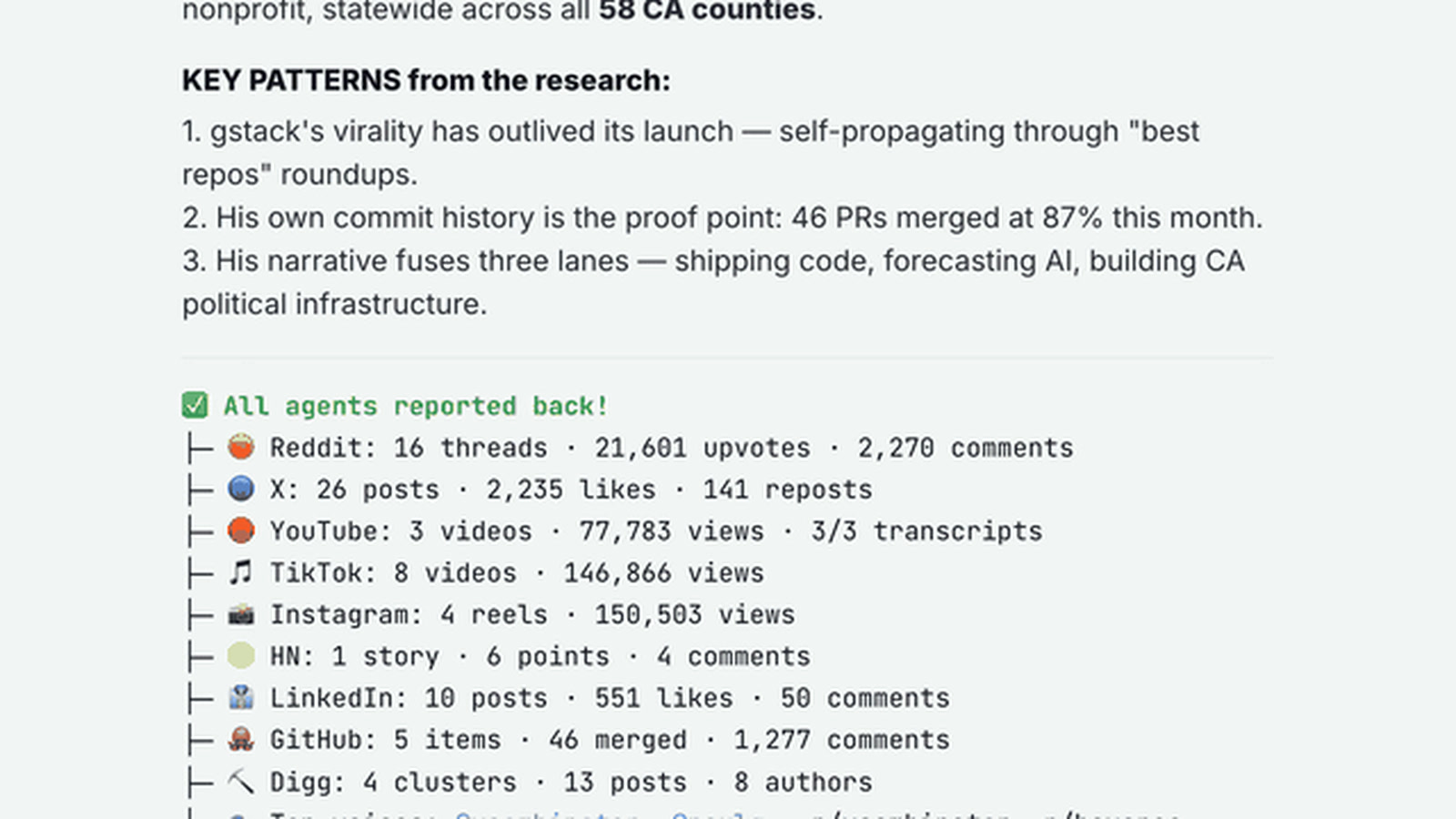
The image comes from the demo GIF in the project's GitHub repo. It shows the real ending of one research run.
As you read, check two things. Can you click through to the source behind each number? Does any point rest on just one post? If something catches your eye, ask a follow-up in the same chat, like "Expand on the second point and list the arguments for and against."
Step 4: Hand off your regular research
Once you're comfortable with it, you can set up a few kinds of research as recurring tasks:
| Situation | What to ask |
|---|---|
| Before a meeting, get up to speed on someone | "What have they been working on this month, and how are people talking about them?" |
| Before choosing a tool, check its reputation | "For tools A, B, and C, what do users praise and complain about most lately?" |
| Before a trip, check recent news | "Are there any closures, long lines, or recent changes at this attraction?" |
| Finding content topics | "What's been trending in the AI agent space lately? Give me 5 topic ideas." |
It saves what it researches on your computer. Later, you can ask "Have I researched Claude Code before?" and it will dig up the old briefs:
Help me turn last30days into a regular research habit:
1. List the topics I've researched with it before, with dates.
2. When I say "update" on a topic, run it again and only tell me what has changed since last time.
3. Save a copy of every brief. Put the date and topic in the file name.
If you'd like to turn your research into a polished report, check out Have your AI agent make clean Word, Excel and PowerPoint files.
Things to keep in mind
- Popular doesn't mean true: upvotes show that many people are paying attention, not that they're right. For anything involving money, health, or law, check the original source.
- Free sources are limited: without an account, you mostly get Reddit, Hacker News, Polymarket, and GitHub. X, YouTube, and others need extra setup. Think about whether you want to grant access before you add them.
- Only the last 30 days: to understand how something developed, combine the brief with other material.
- Uses up your AI agent's quota: the skill is free, but reading posts and writing the brief count against your AI agent plan. Broad topics use more of it.
Comments (0)
No comments yet. Start the conversation.