

Where Your AI Plan's Usage Actually Goes
What you get
A paid AI plan does not let you use as much as you want. Each plan has a limit for a set time. This limit is called your usage. When you hit it, you either wait for it to reset or pay more.
Beginners usually run into one of two problems. Their work gets cut off halfway. Or the bill at month end is a shock. This guide shows you how usage is counted, where to check it, which tasks cost the most, and a few habits that save it.
Check your usage the way you check your phone data plan. Look often, not only when you run out.

This image was made by AI. It is not a real screenshot of any app.
How usage is counted
Every provider counts a little differently. Most use two layers:
- Short window: for example, one cycle every 5 hours. If you use a lot in this time, you get blocked for a while. It comes back after a short wait.
- Long window: for example, one total for each week. If you use it all, you wait until the weekly reset.
The same account shares one pool of usage across the web, the desktop app, and the command line. There is also a separate way to pay, called the API. You pay for each use, with no cap. Beginners should skip it for now.
Where to check usage
Most apps have a "Usage" page in their settings. It shows how much of each window you have used and when it resets:
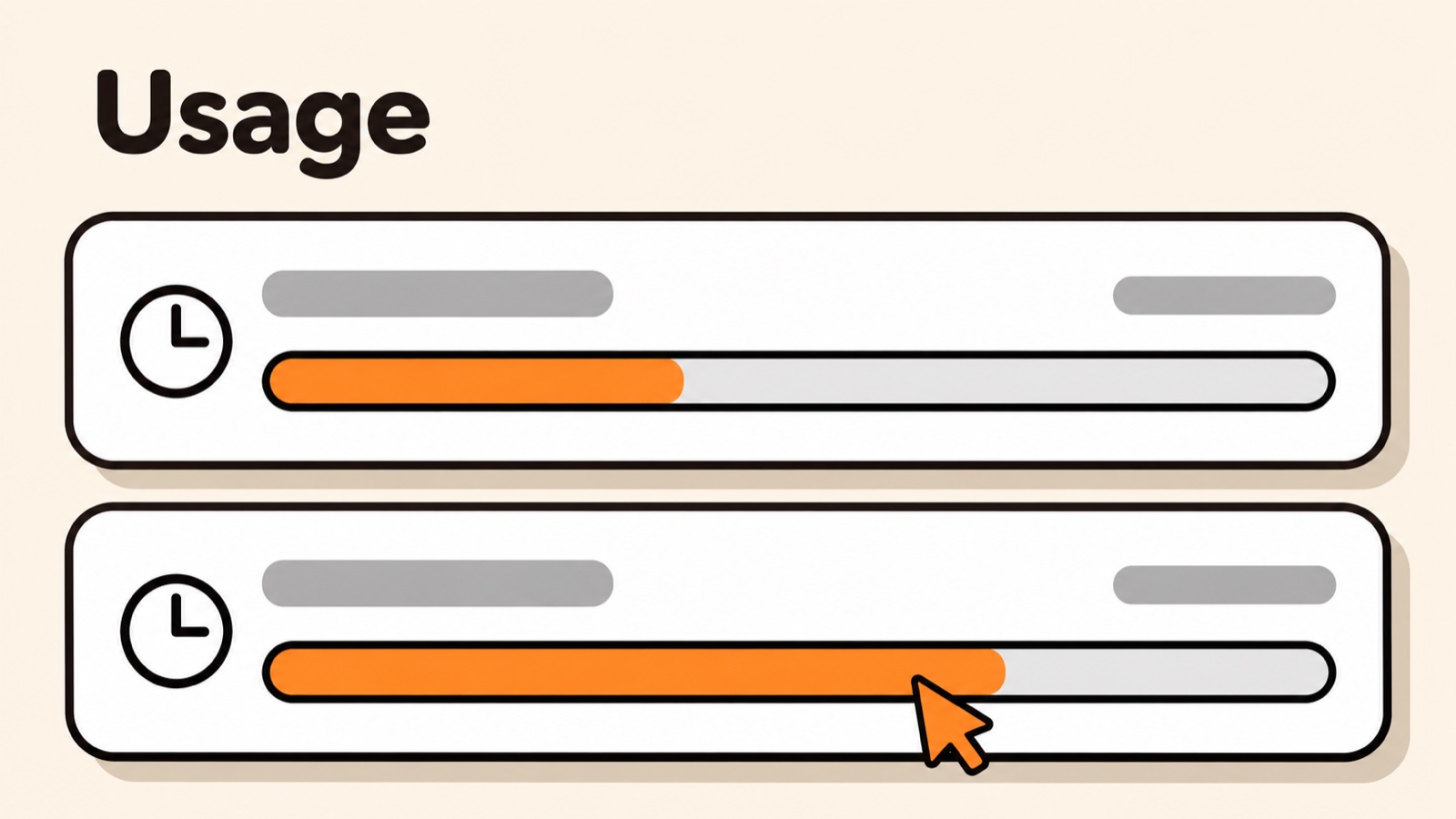
This image is a redrawn illustration, based on screenshots from online tutorials. Each provider's page looks different. In command-line tools like Claude Code, type /usage to see it.
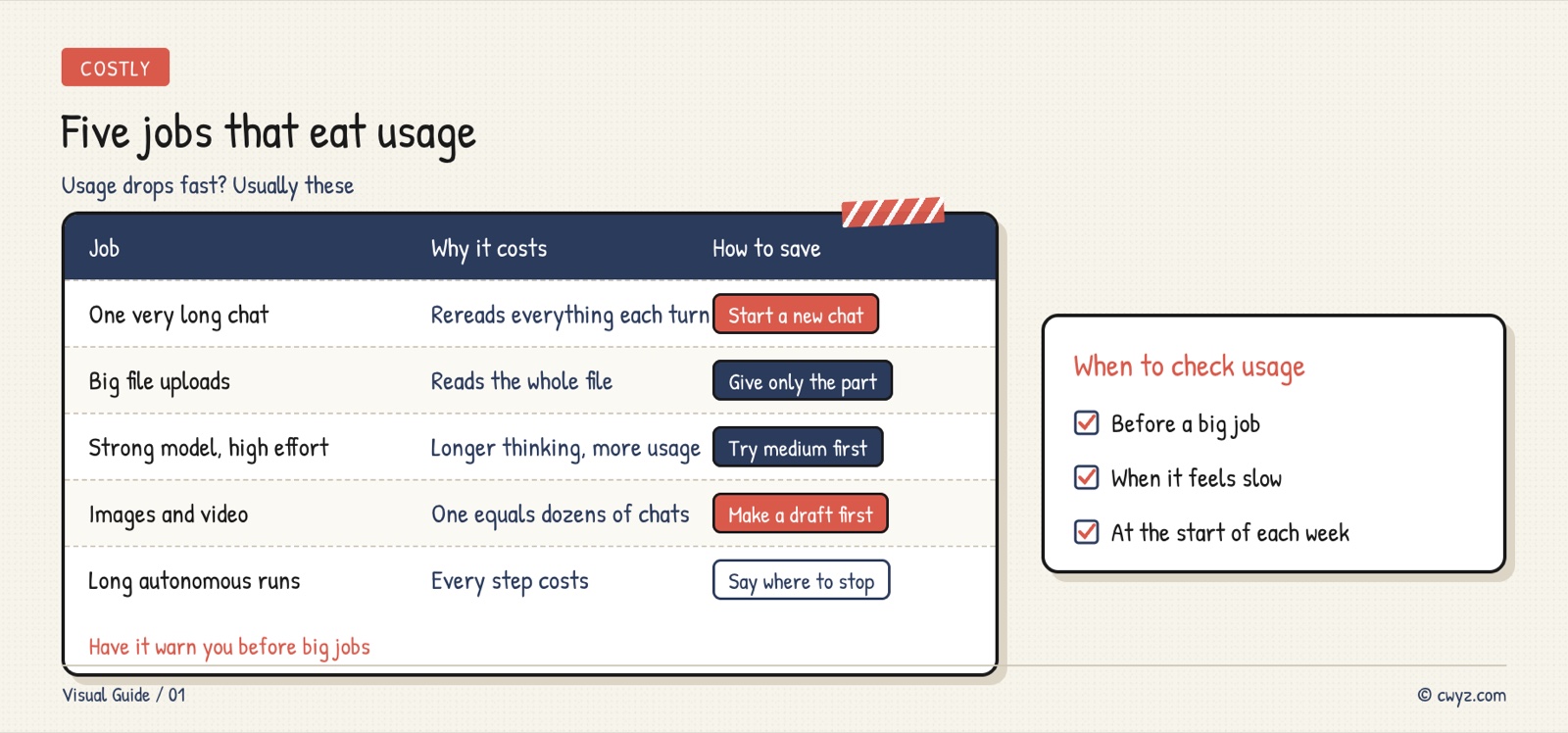
What uses the most usage
Usage drops fast when a few kinds of work take most of it:
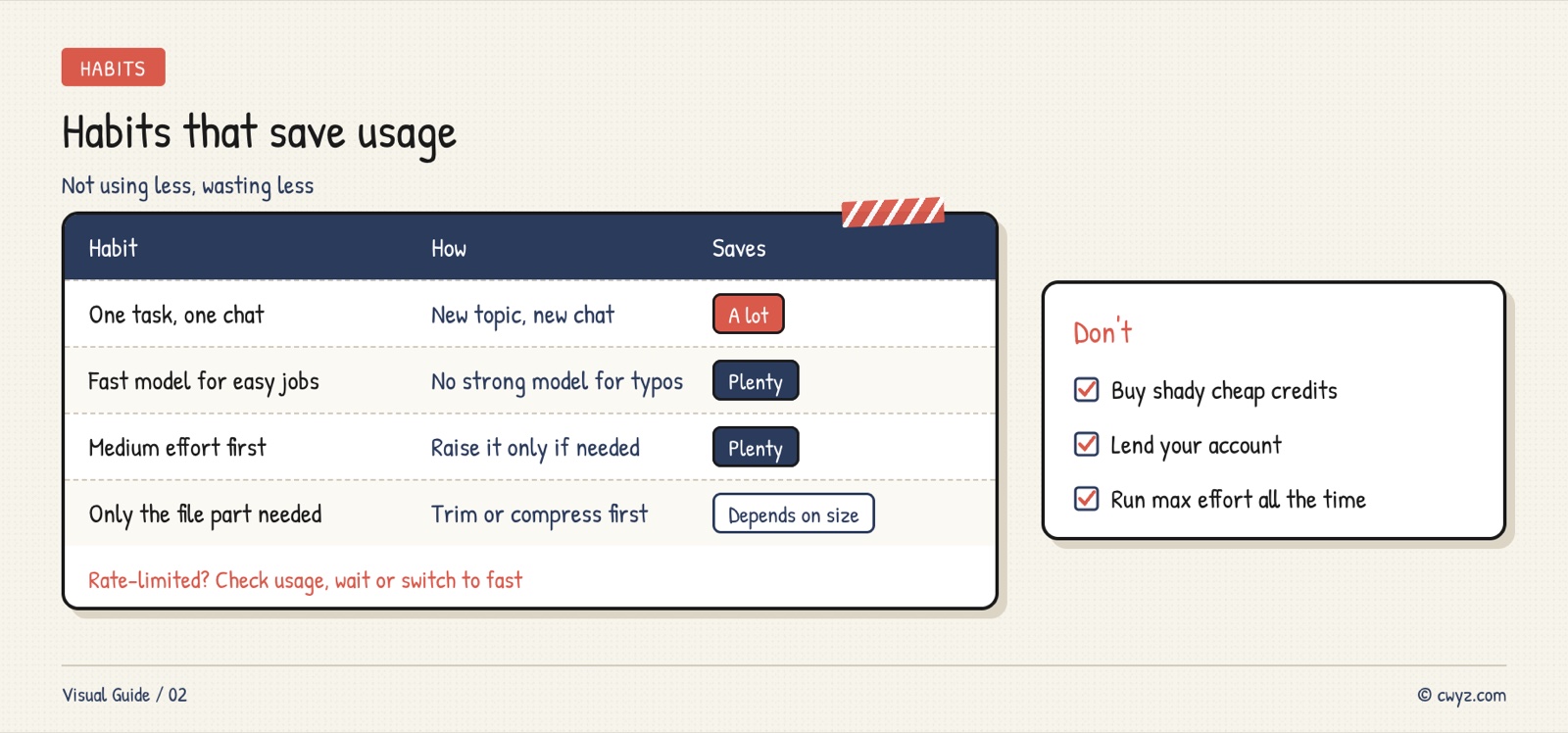
Habits that save usage
Using less is good. Wasting nothing is better. These habits help the most:
Let your AI agent manage it
Send this to your AI agent. It will explain your usage based on your plan. It will also save the rules below for later.
Sign in to unlock this key section
New accounts get 10 free credits, plus 1 more each day you sign in (none on days you don't). Spend 1 credit to unlock and it stays open for you.
The last rule is the most useful. Ask first before a heavy job, and you won't get blocked out of nowhere.
Notes
- Don't buy cheap usage from unknown sellers to save money. Your account and data may not be safe. See Chasing cheap AI tools, the time you lose may cost more than you save.
- The "API equivalent" value that some apps show is not money you saved. See Don't treat your AI subscription's "API value" as money you saved.
- If you always run out, try setting thinking effort to medium first. See Running Out of Claude Pro Quota? Try Medium Effort First.
- Plan rules change. Always check the official help page.
References
- Usage limits for Claude Pro and Max (Anthropic Help Center)
- To save usage, also pick the right model for each job: Pick the Right AI Model for Each Job
- Want to know what you still need to learn? Check Your AI Starting Level
Comments (0)
No comments yet. Start the conversation.