

Check Your AI Agent's Work Before You Use It
What You Get
AI can sound sure even when it makes things up. It can also say "done" when it only finished half the job. This guide gives you three checks. Have your AI agent review its own work before it hands it to you. Spot-check a few places yourself in two minutes. Ask for sources on any facts.
Check what your AI agent hands you before you use it.
This illustration is AI-generated. It is not a real screenshot of any software.
Where AI Goes Wrong
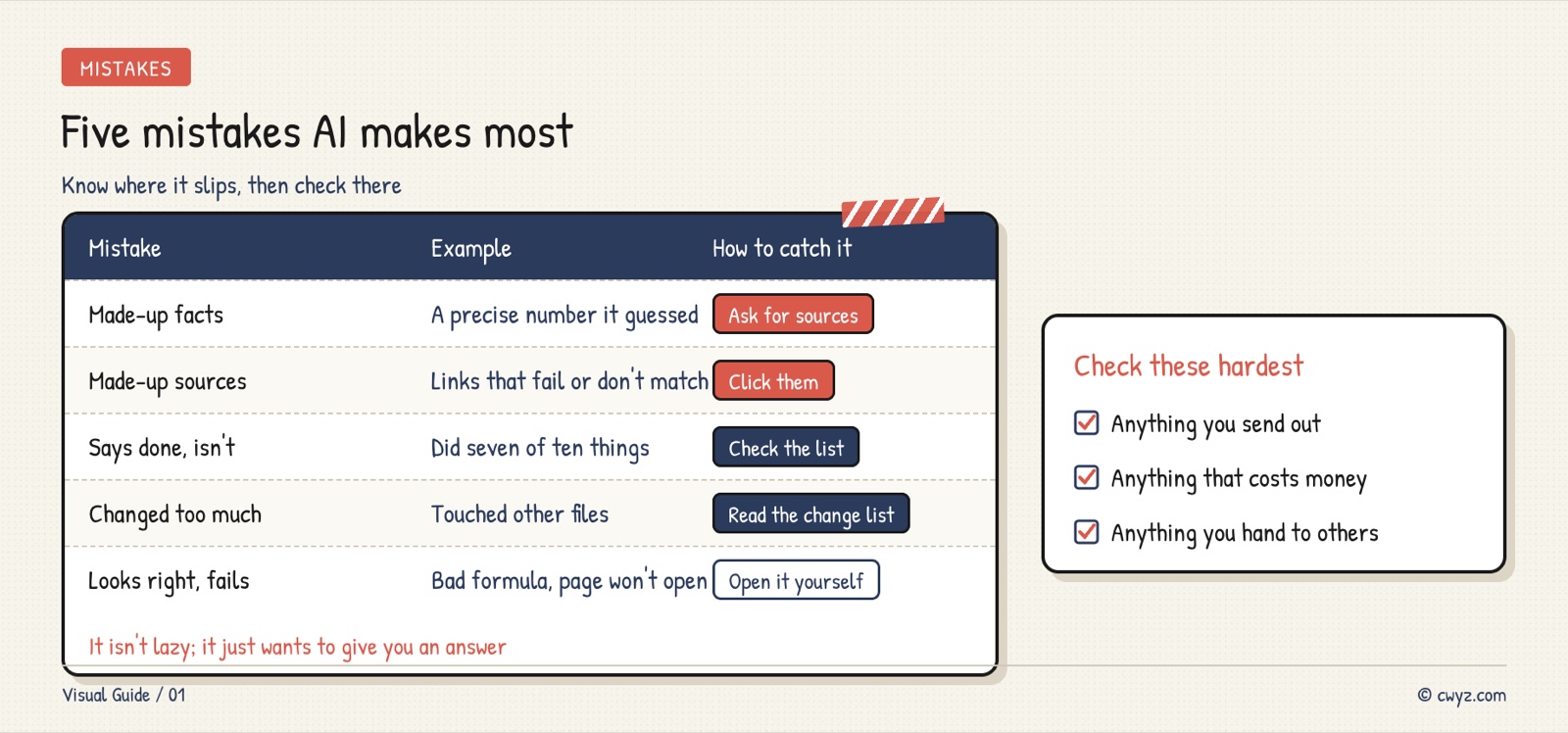
AI usually goes wrong because it wants to give you an answer. It goes along with things it doesn't know. It says a task is done when it isn't. Once you know the common mistakes, they are easy to spot:
Have It Check Itself First
The easiest check is this. Before your AI agent hands over the work, have it compare the work against your request, one item at a time. You can say "check yourself before you hand this over" every time. Or you can write the rule down once, so it happens automatically. The prompt below does that for you.
Self-checks are not perfect. Your AI agent can miss things when it checks its own work. So do the next step too.
Spot-Check Three Places in Two Minutes
You don't need to check everything. Pick the three most important places:
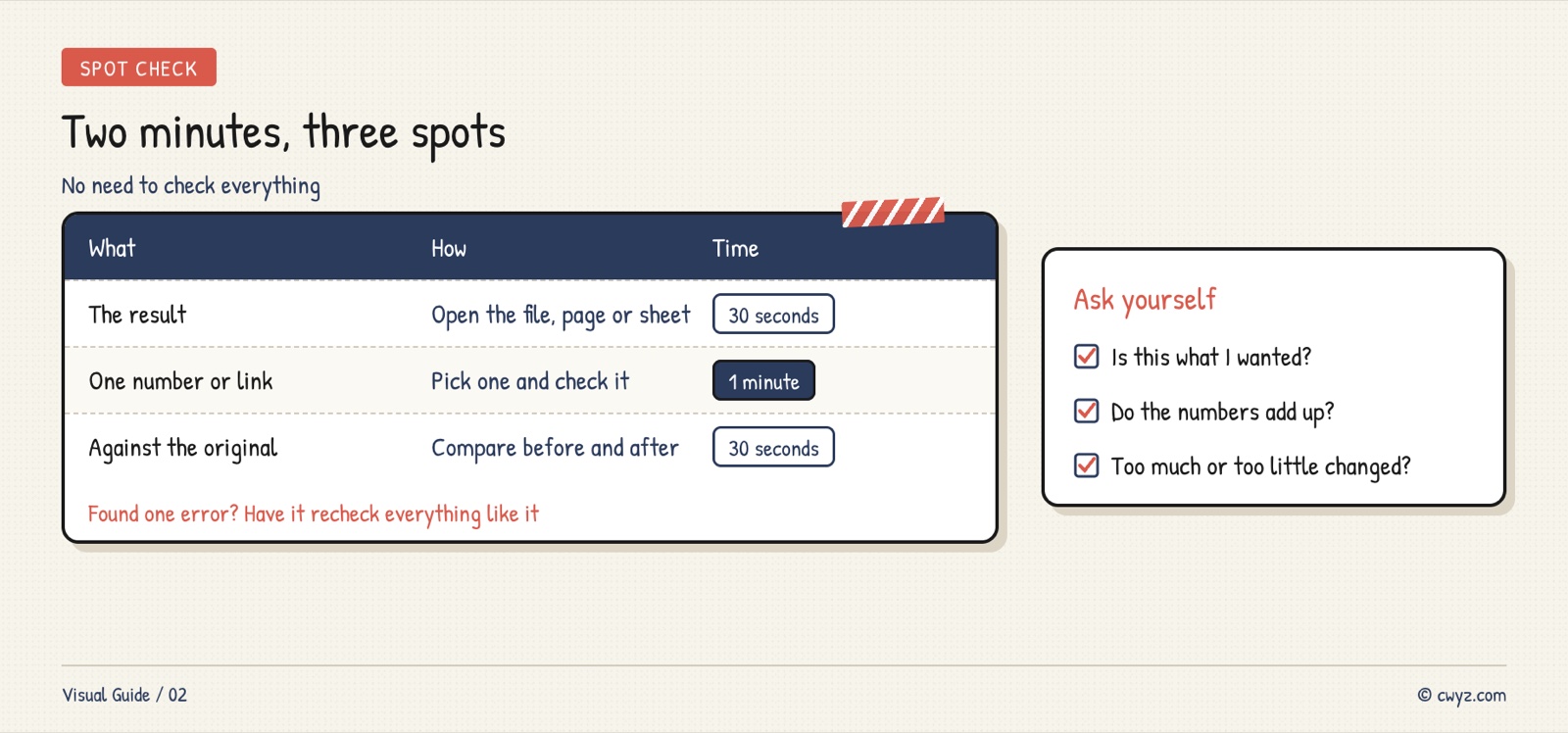
If you find one thing wrong, ask your AI agent to recheck every similar place.
Ask for Sources on Facts
When you ask about a fact, a number, or a news story, ask for a source link. Many AI tools now put source markers after their sentences. You can open a source list next to the answer:
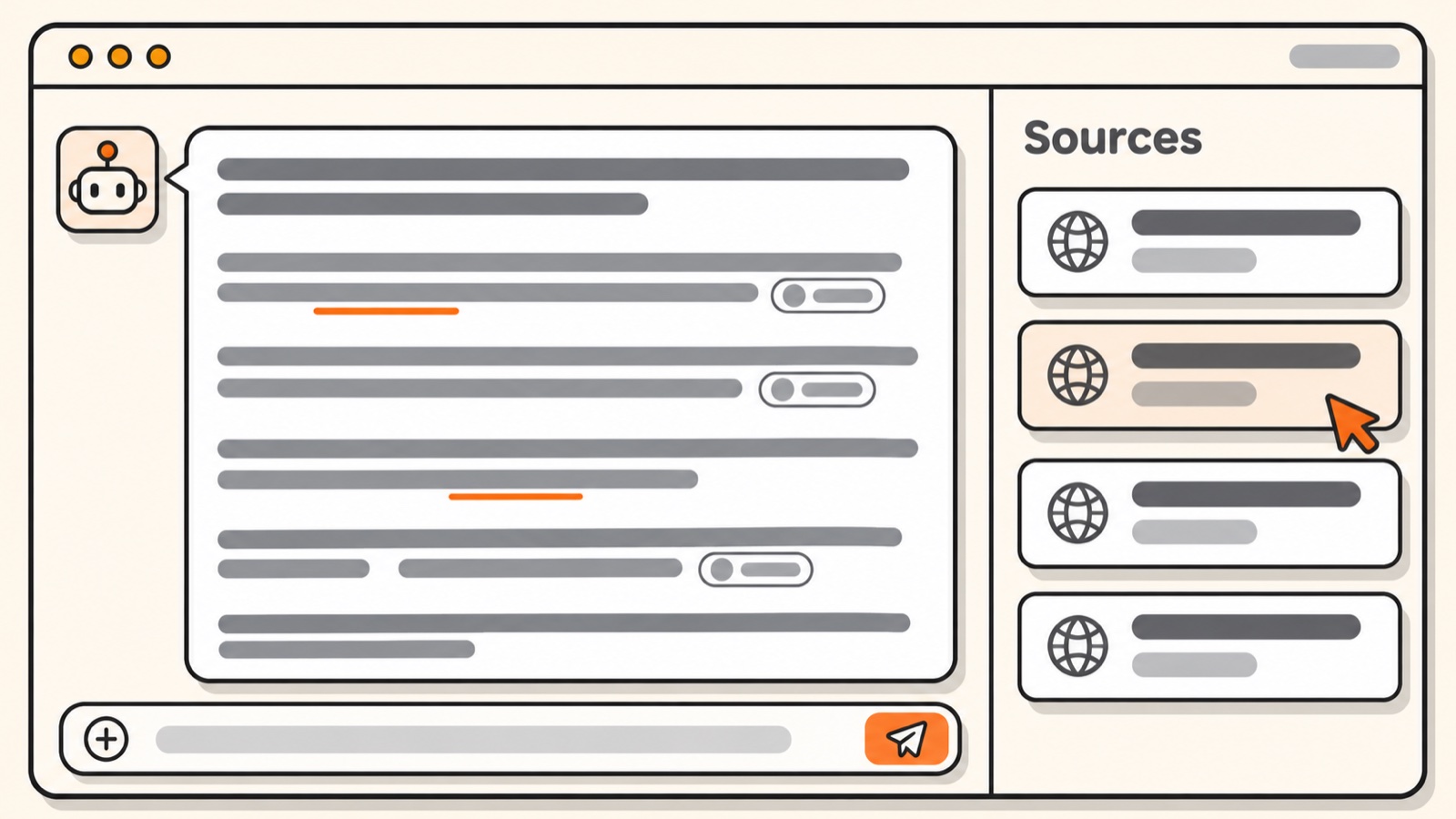
This illustration is redrawn from screenshots in online tutorials. Each app looks different.
Open one or two sources. Does the page really say that? Is the date too old? If a source doesn't match, ask your AI agent to search again. Treat any claim without a source as a guess.
Set the Rules Once
Send this to your AI agent. It will save the checking rules to its memory. Then it will run a quick test:
Sign in to unlock this key section
New accounts get 10 free credits, plus 1 more for each daily check-in. Spend 1 credit to unlock and it stays open for you.
This test has no single right answer. If your AI agent finds a source, open it. If it can't, it should say so and label the number as a guess. A precise-looking number with no source is exactly why you check.
Notes
- Check the most important work the hardest. That means anything you publish, spend money on, or hand to someone else.
- Source links can be made up too. Only opening them shows whether they are real.
- If it says "all tests passed," ask how many tests it ran. See Ask Your AI Agent How Many Tests It Actually Ran.
- When you ask it to verify a claim, don't tell it which answer you hope for first. See This Prompt Makes the Model Check Facts Instead of Agreeing With You.
References
- How to Reduce Made-Up Content in AI Answers (Anthropic official docs)
- Treat it like a contractor: Don't count the lines AI wrote. Review its work like a contractor's
- Set safety rules first: Stop Your AI Agent From Spending or Deleting Without Asking
- Find out what you still need to learn: Check Your AI Starting Level
Comments (0)
No comments yet. Start the conversation.