

Install Your AI Agent's First Skill
What you get
Your AI agent can do a bit of everything. But many jobs go better when someone teaches it how that trade works. A Skill is that know-how, written down by someone else. Install it, and your agent gains a new skill. You don't have to teach it from scratch.
This tutorial shows you what a Skill is, where to find one, what to check before you install it, and how to install your first one.
Installing a Skill means handing one prompt to your AI agent. It does the rest.
What a Skill is
A Skill is a professional instruction manual written for AI. It tells the agent what to do first, what to do next, and what it must never do for that kind of work. Sometimes it also comes with a few small tools.
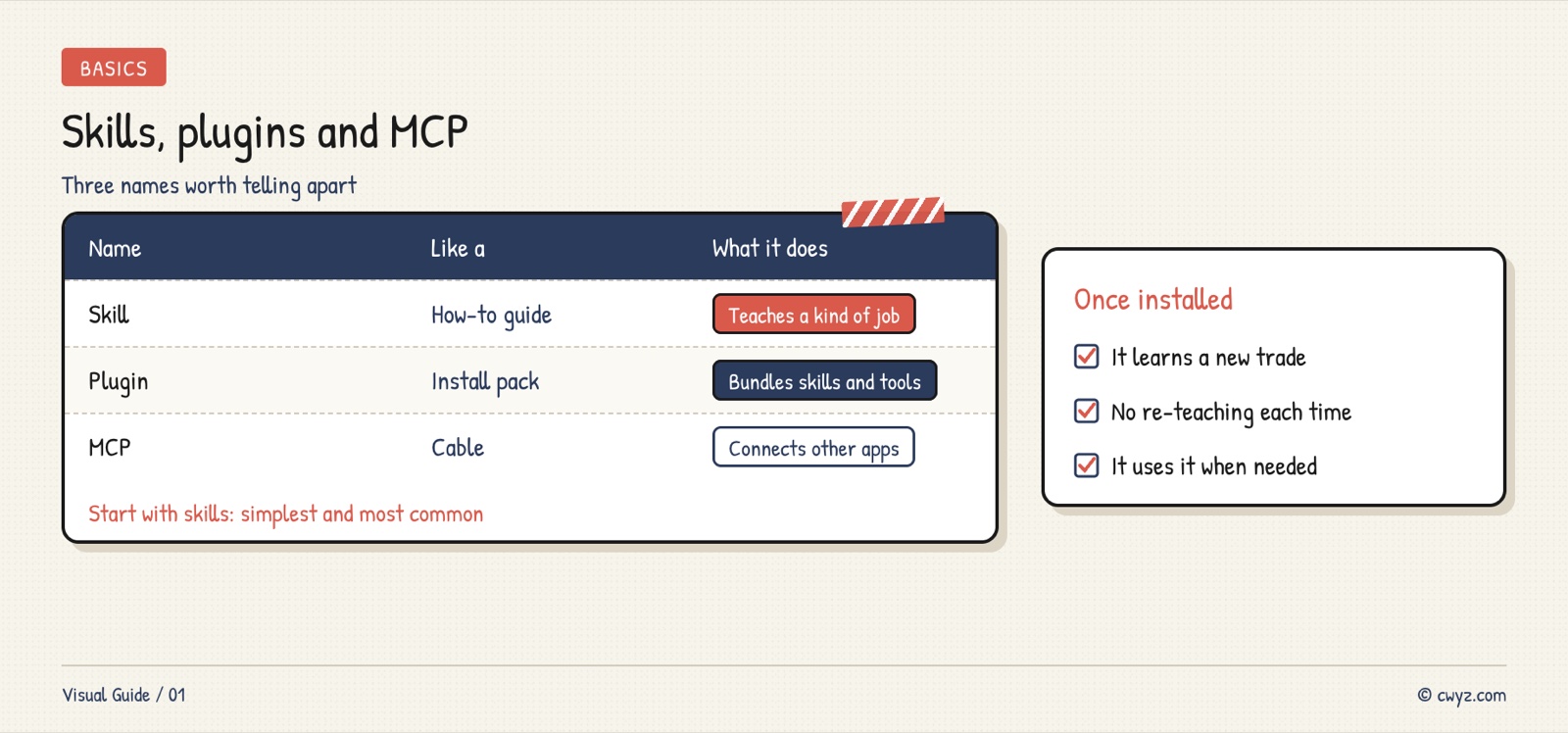
You will often see two other terms next to it: plugins and MCP. As a beginner, you only need to know the difference:
Where to find them
The Skills section on this site has many. Each one says what it does, how hard it is, and who it is for:
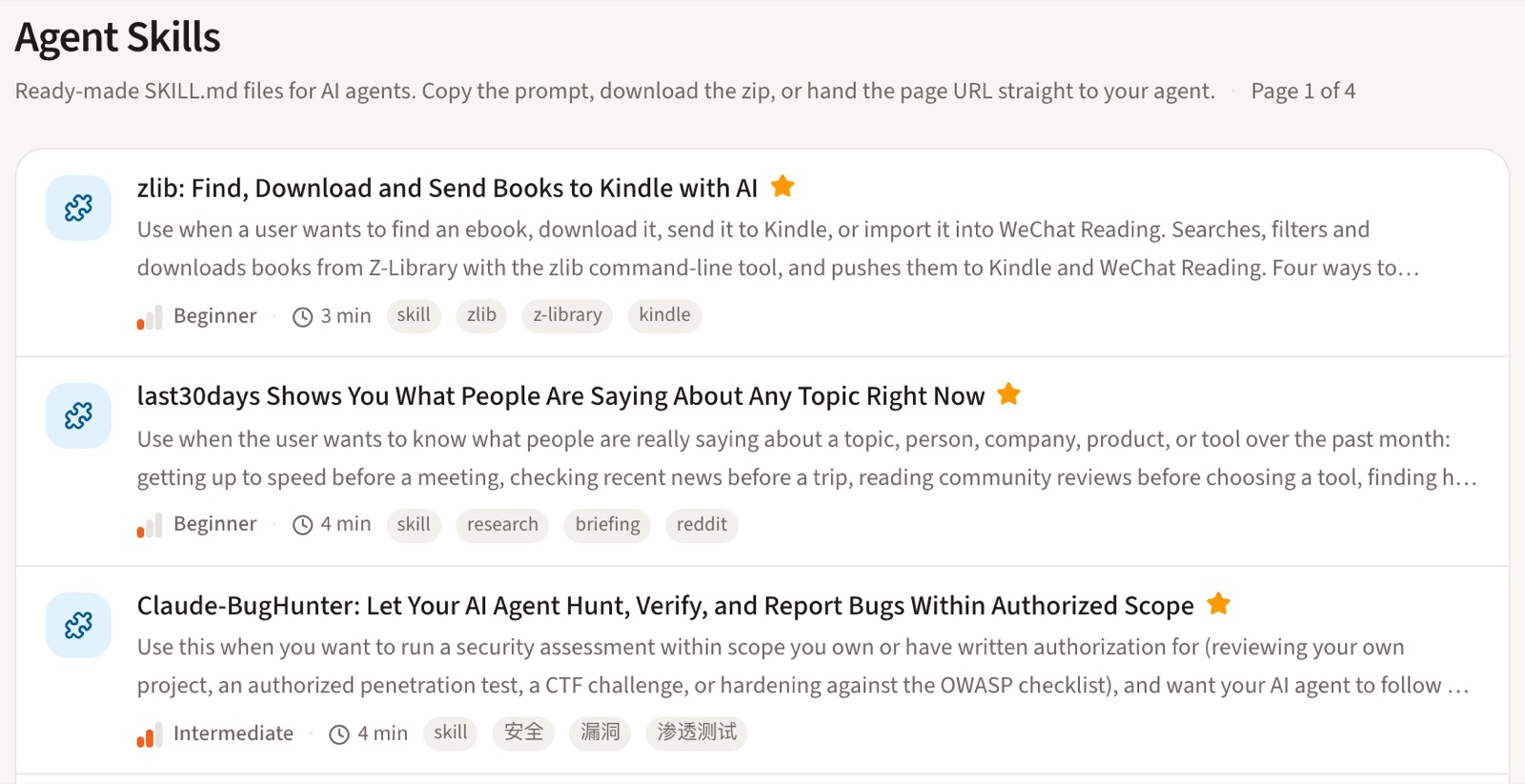
GitHub also hosts many open-source Skills. Claude Code and Codex have their own plugin marketplaces. Beginners should start here. The descriptions are in plain English, and every skill installs the same way.
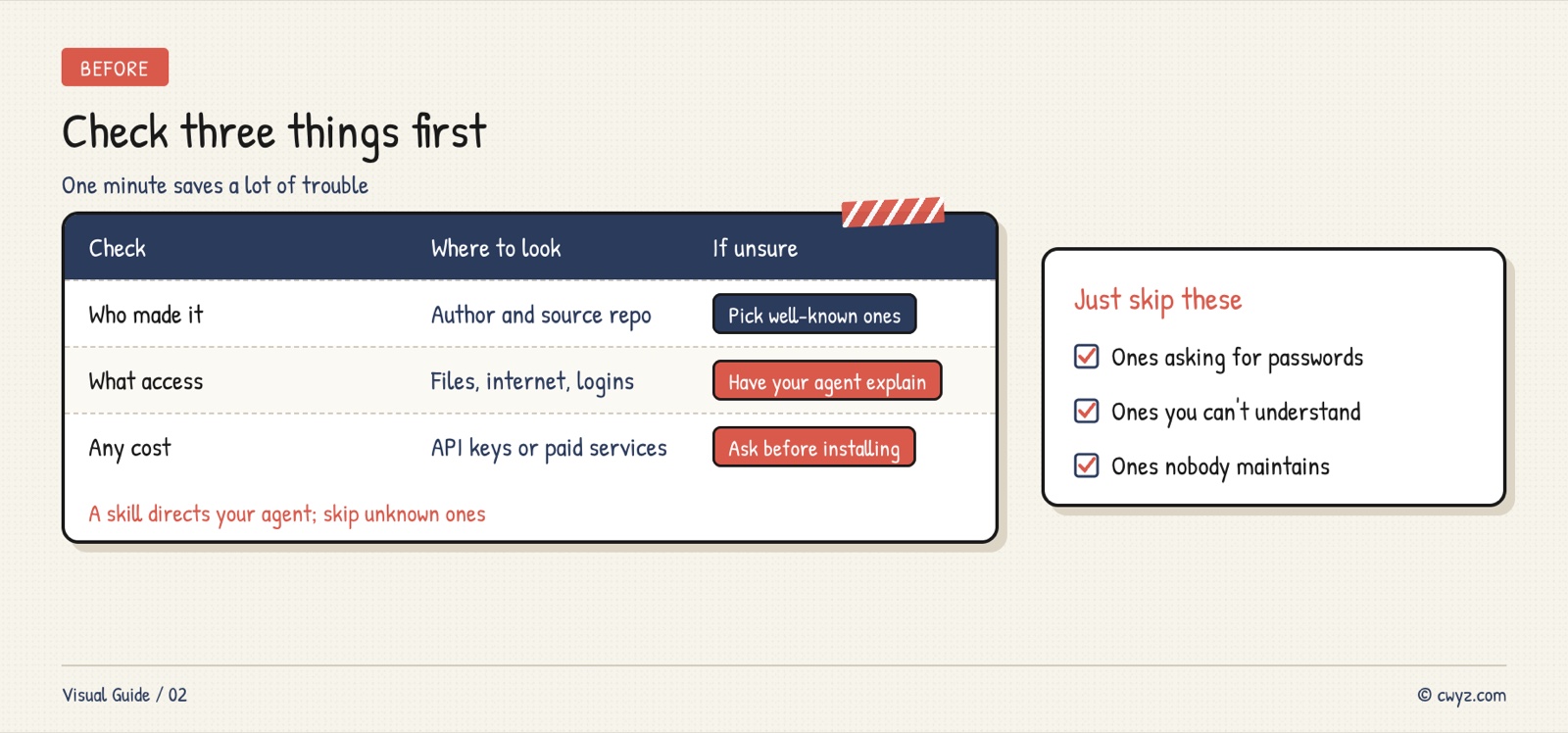
Check three things first
A Skill tells your agent what to do. Installing one from an unknown source is like letting a stranger give orders to your new intern. Spend one minute checking three things before you install:
Install with one prompt
At the top of every skill page is a box titled "Give this skill to your agent." Click Copy prompt, then paste it into your AI agent:
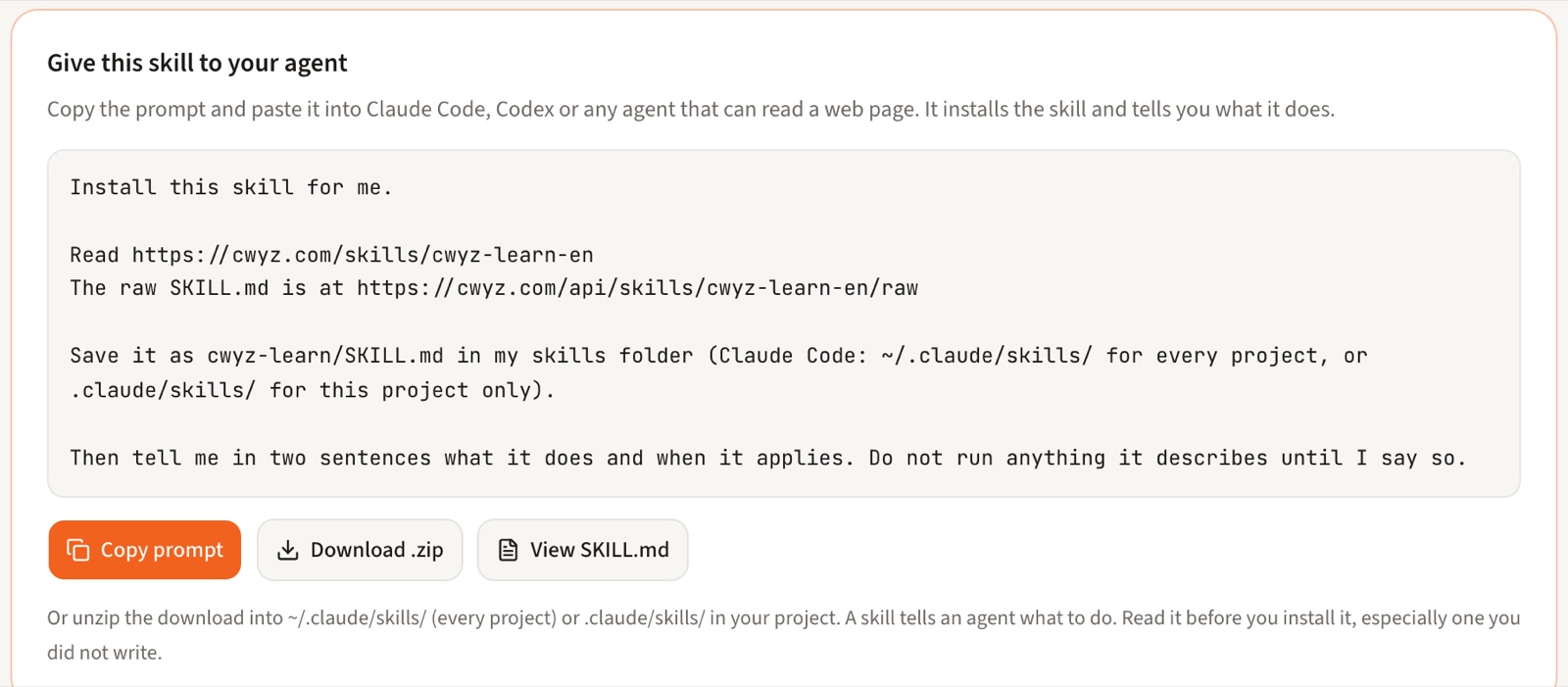
For an extra safety check, use the prompt below. It makes the agent look before it installs, and it tests the skill afterward. For your first try, practice with CWYZ Learn. It walks you through the site's beginner tutorials.
Sign in to unlock this key section
New accounts get 10 free credits, plus 1 more each day you sign in (none on days you don't). Spend 1 credit to unlock and it stays open for you.
The last step, a small task, confirms that the skill is really installed. To use it later, just say what you want to do. Your agent will usually remember to use the right Skill. If it doesn't, name it: "Use the [skill name] skill for this."
Notes
- Install only one or two at a time. Add new ones after the first ones feel natural. Too many, and your agent may not know which one to use.
- Think twice before you install a Skill that asks for an API key, a bank card or an account login.
- Skills get updated. If one starts acting strangely, ask your agent to read the original page again and reinstall it.
- Remove Skills you no longer use. Fewer Skills means less risk.
References
- Agent Skills overview (Anthropic docs)
- Codex plugins (OpenAI docs)
- Set safety rules first: Stop Your AI Agent From Spending or Deleting Without Asking
- Want to write your own: Turn Repetitive Work Into a Skill Anyone Can Use
- Want to know what you're still missing: Check Your AI Starting Level
Comments (0)
No comments yet. Start the conversation.